ImprovementNew
Smarter Templates and Smoother Workflows ✨
New: Smart Template Gallery
A brand-new Smart Template Gallery is now available for Pro users, making it easier to build, customize, and reuse professional fax templates. Users can create fillable forms with validation, auto-fill patient details, add e-signatures and QR codes, and reuse existing documents without re-uploading or re-entering data.New: Contact Groups
Admins can now create and manage custom contact groups, with support for assigning contacts to multiple groups. Group visibility is controlled through user permissions, helping teams organize large contact lists more effectively while keeping access secure.New: Automation Update – Conditions Now Optional
Automations can now run with only a trigger and an action. Conditions are no longer required, allowing teams to build broader automations such as labeling all failed faxes or auto-deleting delivered ones across the organization.New: My Assignments Visibility Control
Faxes assigned to multiple users will now stay visible in My Assignments even if another user moves the fax to a folder. Admins also gain new filters to include or exclude specific folders when managing fax visibility.New: Pending Verification Indicator
Numbers awaiting verification now display a Pending Verification icon, giving users clearer visibility into number activation and compliance requirements.Updated: Team Fax Defaults
Admins can now define team-wide default fax settings—including Caller ID, cover pages, and template selections—to ensure consistent sending behavior across the organization.Updated: CC Email Notification Control
Users can now choose whether CC’d recipients receive delivery emails and attachments. This gives teams more control over privacy and reduces unnecessary notifications for sensitive workflows.Updated: Onboarding Experience
The onboarding form now includes improved industry, use case, and workflow selections, along with small UI refinements to make setup faster and easier for new users.New: Automation Support for API Faxes
Automations now apply to all API-based faxes—both inbound and outbound—bringing API users the same automation capabilities available in the web app.ImprovementNew
Approvals, Auto-Fill, and API Magic 🪄
New: Fax Approval Flow
An outbound fax approval workflow is now available for organizations that need extra control. Owners and admins can review and approve faxes before they are sent, with pending faxes appearing in a dedicated Pending Approval queue. Both senders and approvers receive email notifications, helping prevent mis-sends and support compliance workflows.New: Auto-Fill for Smart Templates (Email-to-Fax)
Smart Templates can now pull information directly from incoming emails. Fields like Subject, Body, Sender, and Recipient can be mapped so templates auto-fill when using Email-to-Fax, reducing manual entry and keeping template data consistent.Updated: Permissions
A new permission, View Team Folders, has been added. Users can only access folders outside their own if they have this permission, improving control over shared workspace access.Updated: Last Activity Tracking
Fax documents now display a Last Activity timestamp, with detailed activity logs (viewed, assigned, forwarded, sent) available in the Logs section for better traceability.API Update: Smart Template Support
The API now supports all Smart Templates, not just default ones. Developers can send faxes programmatically using custom template configurations.ImprovementNew
Enhanced Permissions, Smarter Search, and New Admin Controls
New: Enhanced Permissions Management
We’ve added several new permission controls to give admins more flexibility and visibility across their teams. You can now manage who appears in the Sent page filter, control inbound-fax access even when folder permissions differ, and specify which upload sources each user can use. Admins can also set default fax settings and Smart Templates per user, customize Email-to-Fax notifications, toggle Contact Support for sub-users, and hide Block Number access when it isn’t needed. Label permissions have also been improved so users without full label management rights can still assign existing labels without editing them.New: Search by To, From, and Document
Users can now search across fax records using To, From, and Document fields, making it easier to locate specific faxes—especially for high-volume teams.New: Fax Defaults – “None” Option
Users can now select None for the fax number in Fax Defaults. When selected, the web app prompts the user to enter a Caller ID before sending, and for Email-to-Fax, FCL, and API sends, iFax applies a default system number automatically.New: Forward Indicator in Fax Details
A visual indicator now appears in the fax detail view when a fax has been forwarded. This action is also logged for improved traceability.New: Manual Resend Attempt Limit
Users can now set their own limit for manual resend attempts. The maximum for Batch & Retry has also been increased from 5 to 10.New: Folder Connection Expiry Alerts
When a folder connection expires, users receive an email notification and see a red Action icon prompting reauthorization in the dashboard.New: NLP/OCR Confidence Threshold
Customers can now define the minimum confidence score required for extracted data to be included in automation workflows. Only entities that meet or exceed the configured threshold (for example, 80–90%) will be returned.Broadcast: Full Export Support
Broadcast Reports now include all send attempts—successful and unsuccessful—to support compliance and audit needs. Exports now show Delivered, Failed, Busy, No Answer, and Invalid Number statuses.ImprovementNew
Priority Speed, Clear Pages, and Better Control ⚡
Send faxes faster than ever, including broadcasts.Priority Speed
Priority mode delivers at 2x speed and is available in both normal sending and Fax Defaults.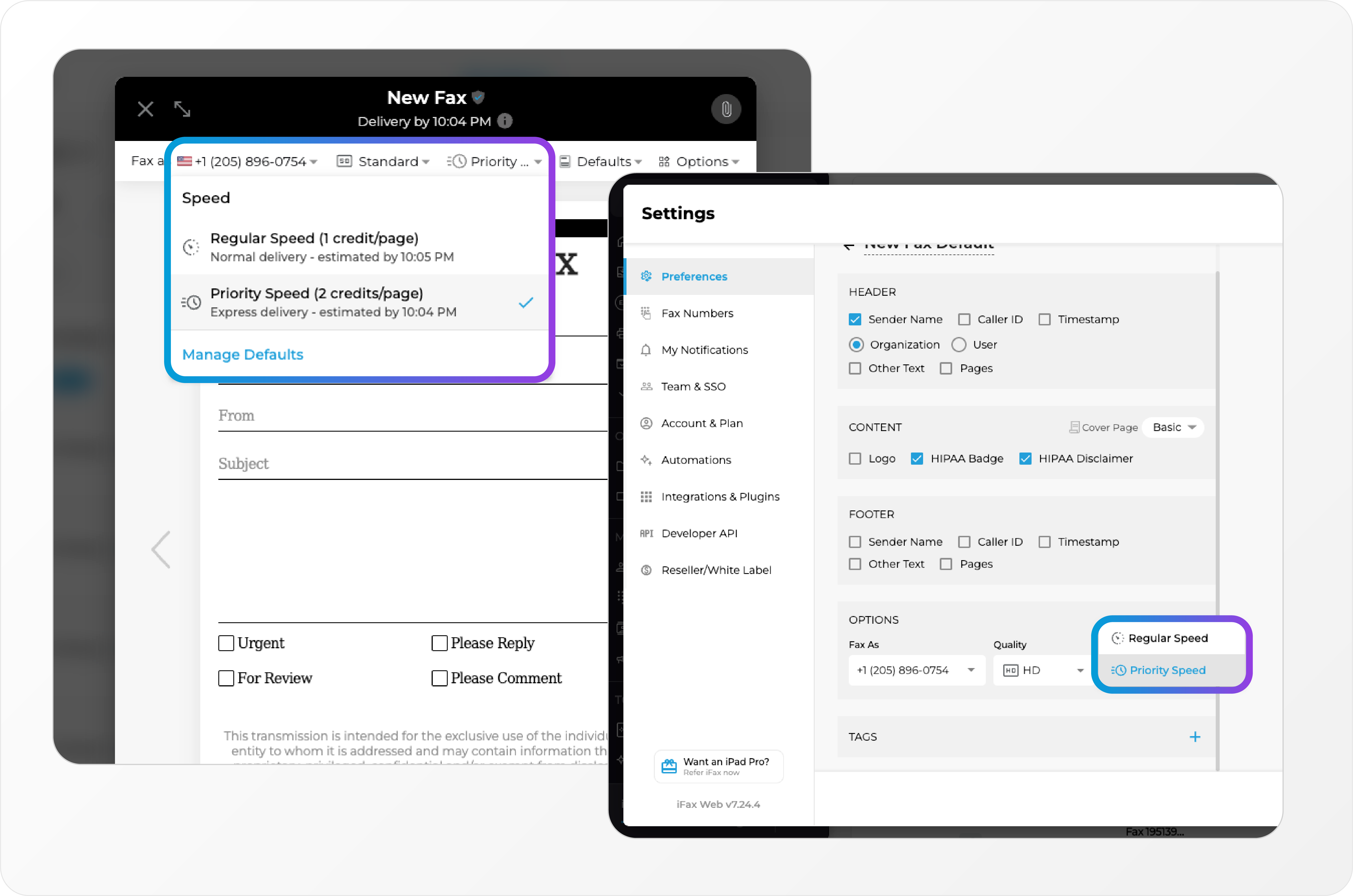 Perfect when time-sensitive documents need to land first.
Header & Footer Controls 📝
Keep every page organized and professional.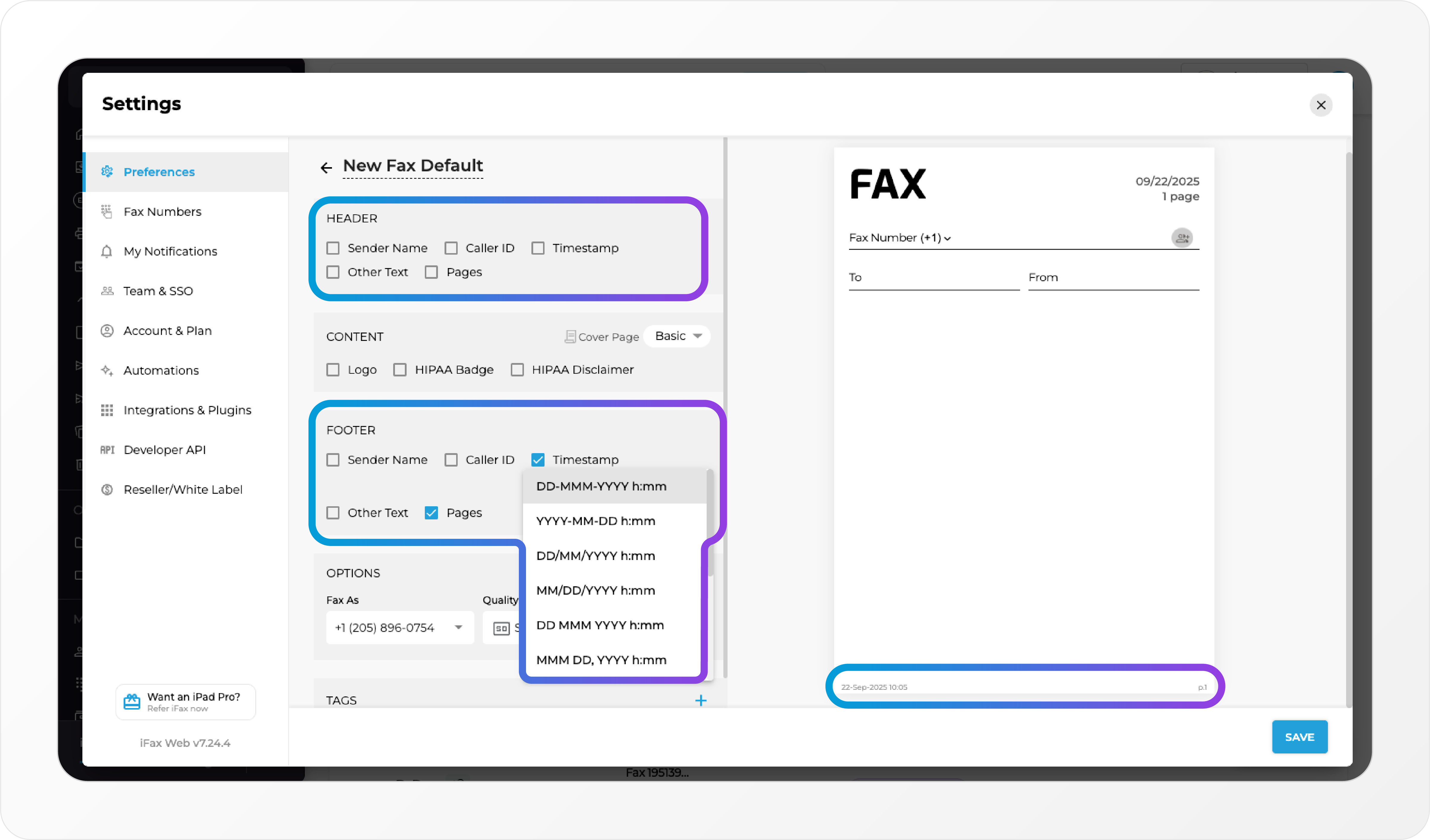 Users can now: • Add timestamps and page counts to headers and footers • Customize date formats for flexibility
Smart Template Enhancements 🧠
Smart Templates just got smarter.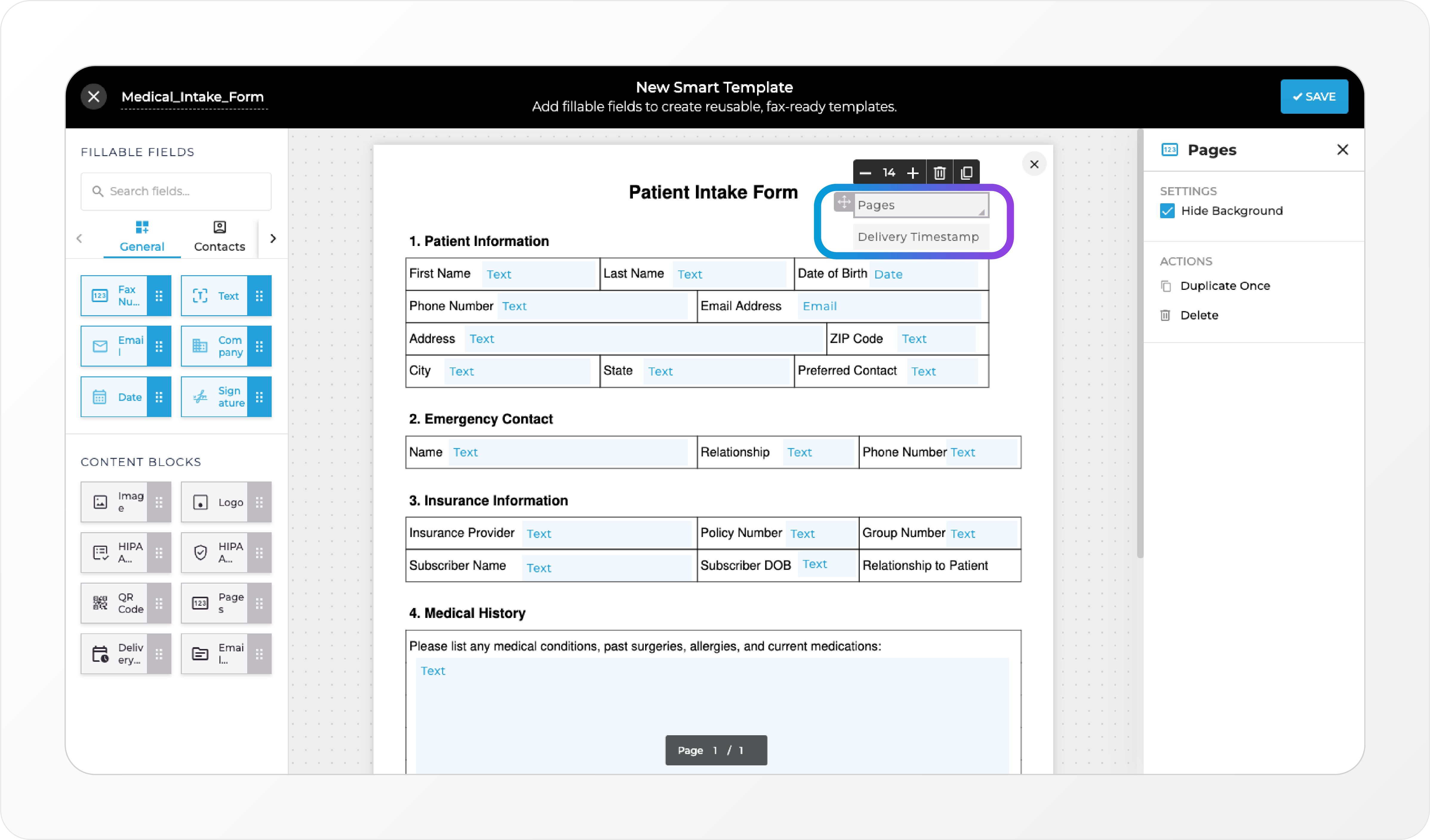 New fields include: • Delivery timestamp • Page count This update reduces manual steps and improves record-keeping accuracy.
WebFax Defaults + Customizable URL 🌐
WebFax now works hand-in-hand with Smart Templates, managed through Fax Defaults. • Define the content of inbound WebFax messages (e.g., a hospital can ensure every intake arrives in a consistent format). • Customize the WebFax URL for a cleaner, customized experience.“Assigned To” + “Sent By” Filters 🔍
New filters under the “User” dropdown make it easier to track: • Work ownership with Assigned To • Sending activity with Sent By Includes a quick _Reset _option to keep navigation simple.Assign Fax by Role or User 👥
Faxes can now be assigned not only by user, but also by role — streamlining workflows for larger teams and ensuring the right group always has visibility.Document Info + Logs in Fax Preview 📋
Troubleshooting and compliance just got easier. See document info and logs directly inside the fax preview pane for faster issue resolution and HIPAA compliance tracking.OCR Page Control 🔎
Set page limits in OCR settings to save credits and reduce processing time when handling large documents.Fax Preview in New Tab (Toggle) 📑
Choose how you want to work. With the new toggle, you can open faxes in a separate browser tab — or keep them inline.Porting Email Updates for Non-iFax Users 📧
During porting, even users without iFax accounts can now receive email updates, improving transparency across all stakeholders.Flexible Column Views in Reports 📊
Reports just got more customizable. Show or hide multiple columns at once using new checkboxes for faster, cleaner views.Recurring Scheduling for Broadcast Faxes ⏰
Plan ahead with new recurring scheduling options for reminders, campaigns, and other outreach.Broadcast Mail Merge Preview Button 👀
Preview your broadcast before sending — even if no mail merge fields are included.Download Receipts for Campaigns 🧾
Users can now download receipts for every campaign, making billing, record-keeping, and compliance reporting easier.Send DOC/DOCX via API 🔌
Developers can now send Microsoft Word files (.DOC and .DOCX) through the iFax API, expanding supported formats for seamless integrations.ImprovementNew
Smarter Automation, Sharper Tools, and Crystal-Clear Faxes ✨
This release is packed with upgrades to help you work faster, stay organized, and deliver the highest quality documents — whether you’re automating complex workflows, managing big teams, or sending faxes that need to look pixel-perfect.Trigger-Based Automations ⚡
You can now build even more advanced, event-driven workflows that react the moment something happens like:- Fax Delivered, Received, Failed, Updated
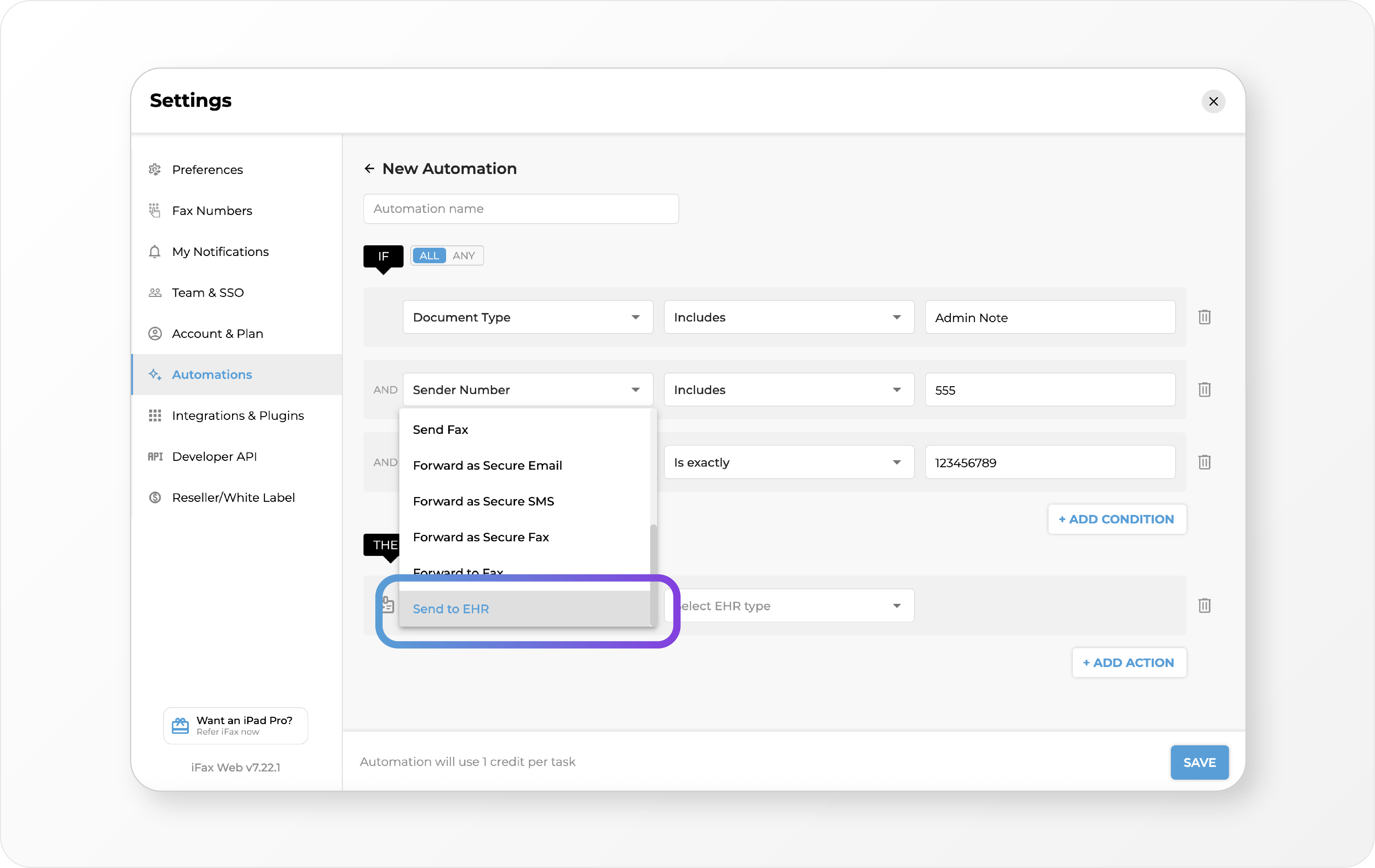
- Document Added or Updated New Conditions: Document Name, Folder Location, Assignee, Recipient Number is Out of Office, and more New Actions: Forward to Fax/Email, Reply to Fax, Add Document Name, Send to EMR, and Smart Template options Additionally, you can now create automations to delete faxes. Manual delete option has been removed from Preferences — cleanup actions are now fully automated to save time and effort. Example: When a fax is received from a hospital, auto-extract details, fill a Smart Template, and send it to insurance — without lifting a finger.
Custom Contact Fields + Smart Template Integration 🗂️
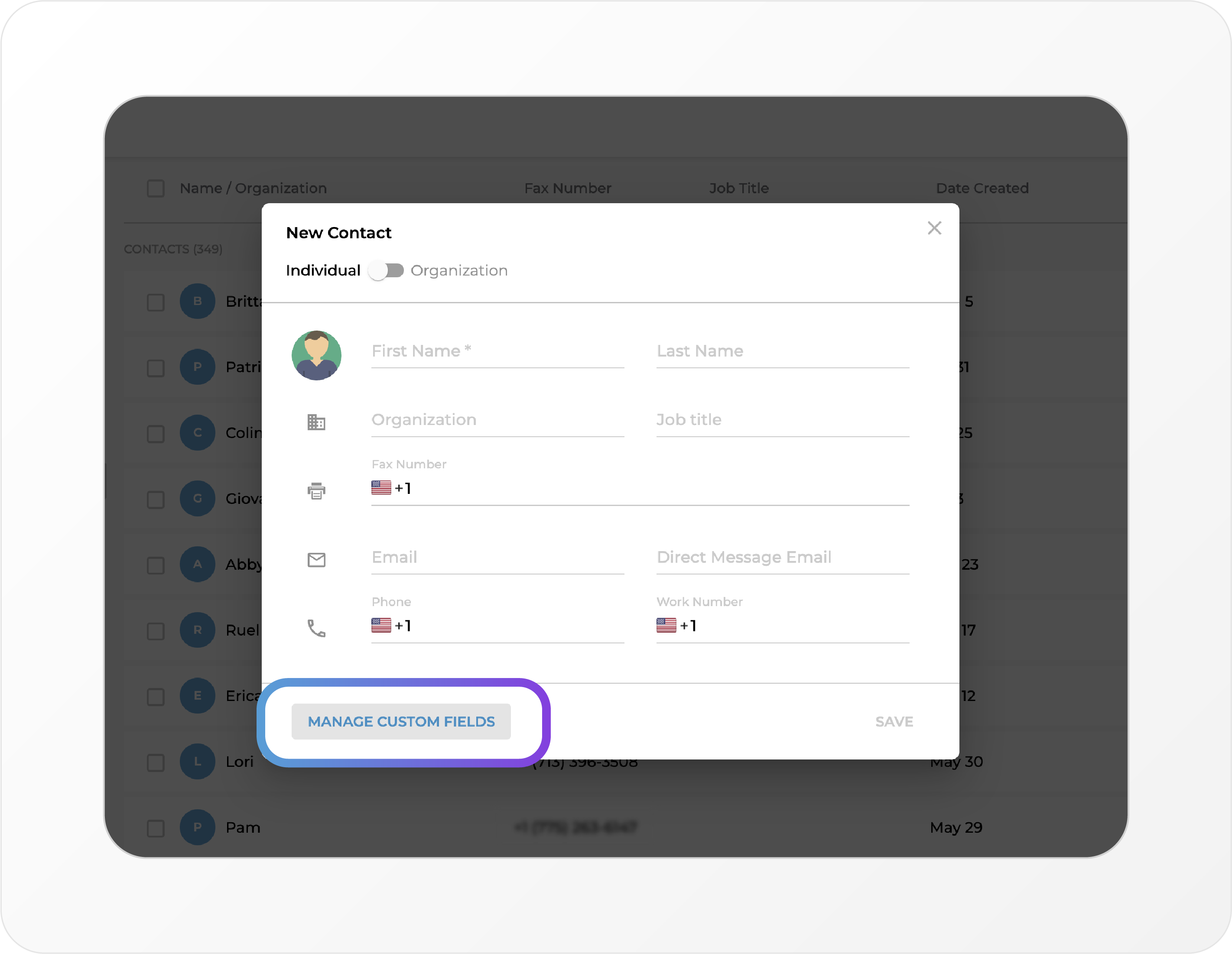
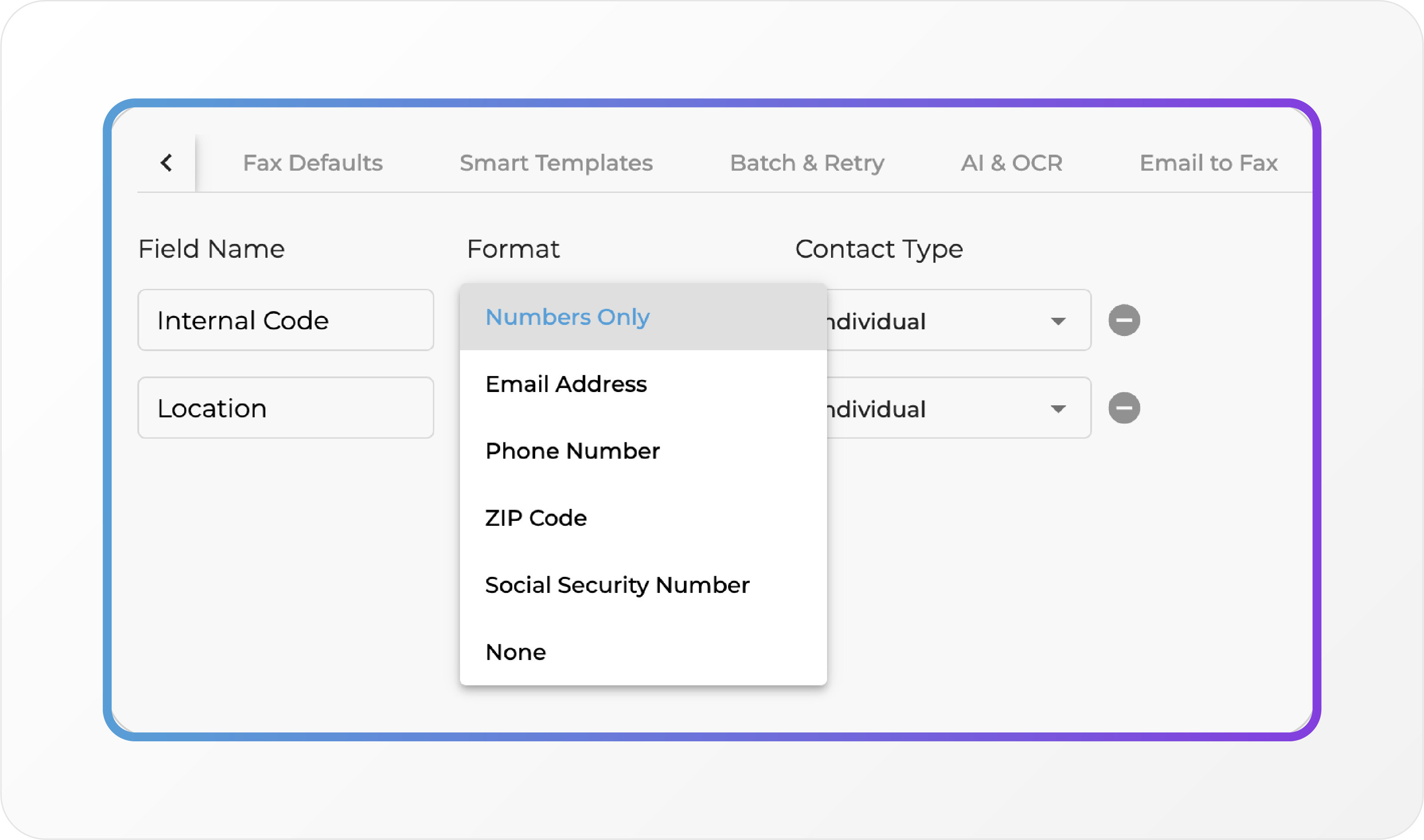
- Add custom text fields to contacts (makes migrating data to iFax from your old cloud fax platform easier 😉)
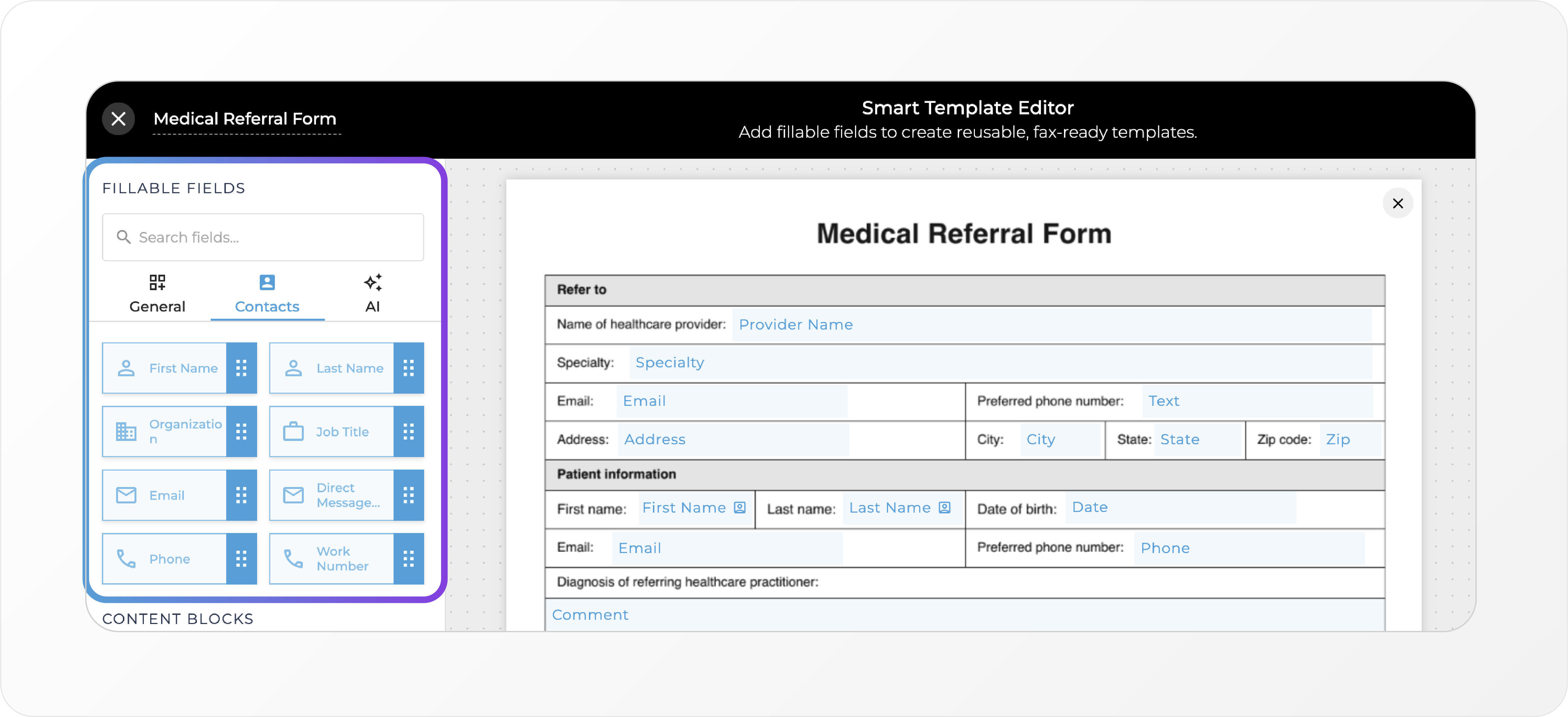
- Pull and auto-populate details from a contact directly into Smart Templates, cutting down on clicks and preventing errors.
HD+ Fax Quality 🖼️
Send faxes in HD+ quality for unmatched clarity. Perfect for images, QR codes, and fine details.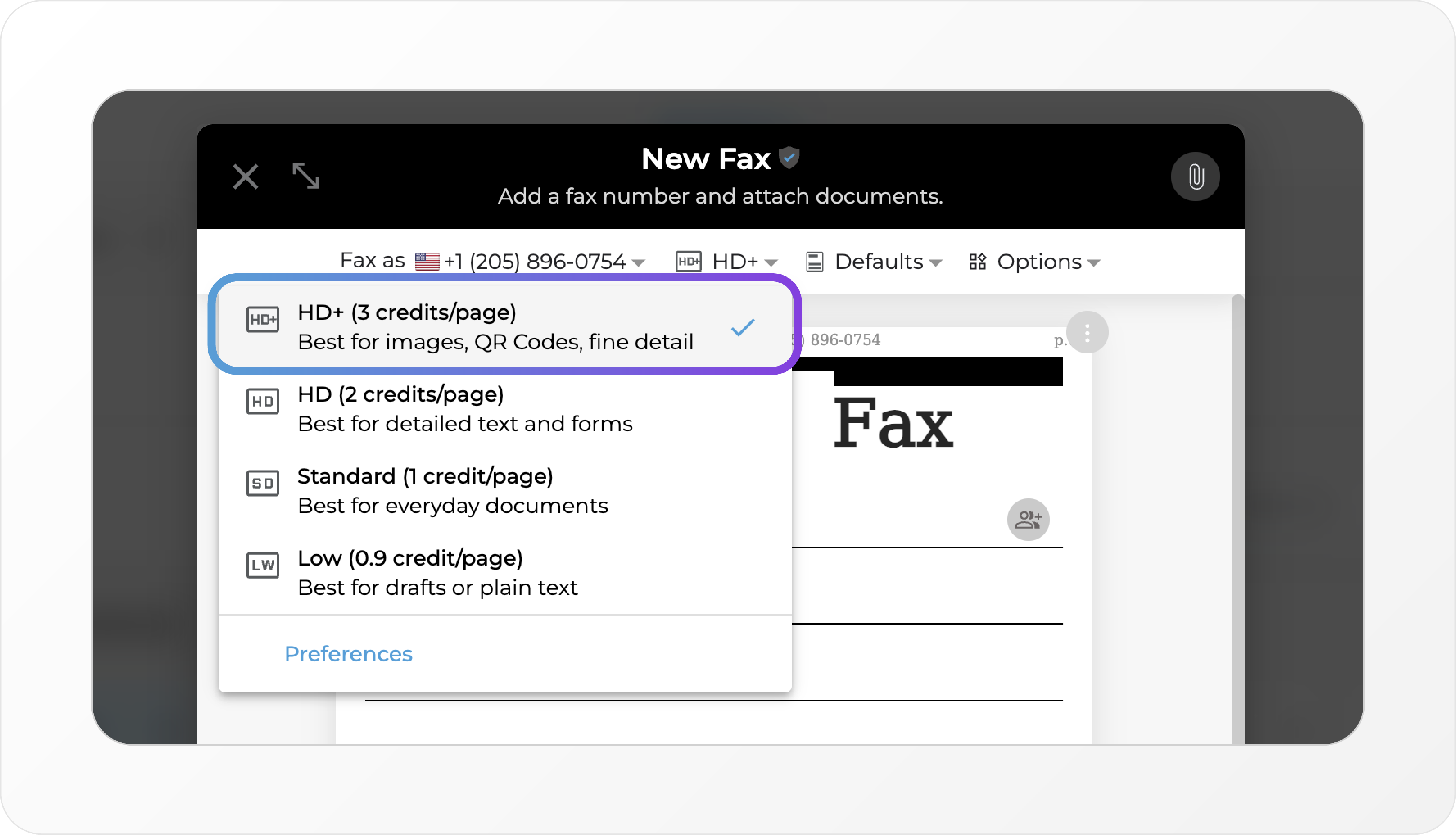
Contact Permissions for Admins 🛡️
Fine-tune who can:- View/Use Contacts
- Create/Edit Contacts
Export Your User List 📤
Admins can now export all user details (including role, status, assigned numbers, and last login) for quick audits and access reviews.Smarter Folder Ownership 📁
When you transfer a folder’s ownership:- The original owner loses “Created by Me” visibility
- The new owner gets full access
New Filters + Views 🔭
- Assigned To Filter: See inbound faxes and docs by who they’re assigned to
- Grid/List Views: Switch layouts in Dashboard, Document, and Folder sections for easier navigation
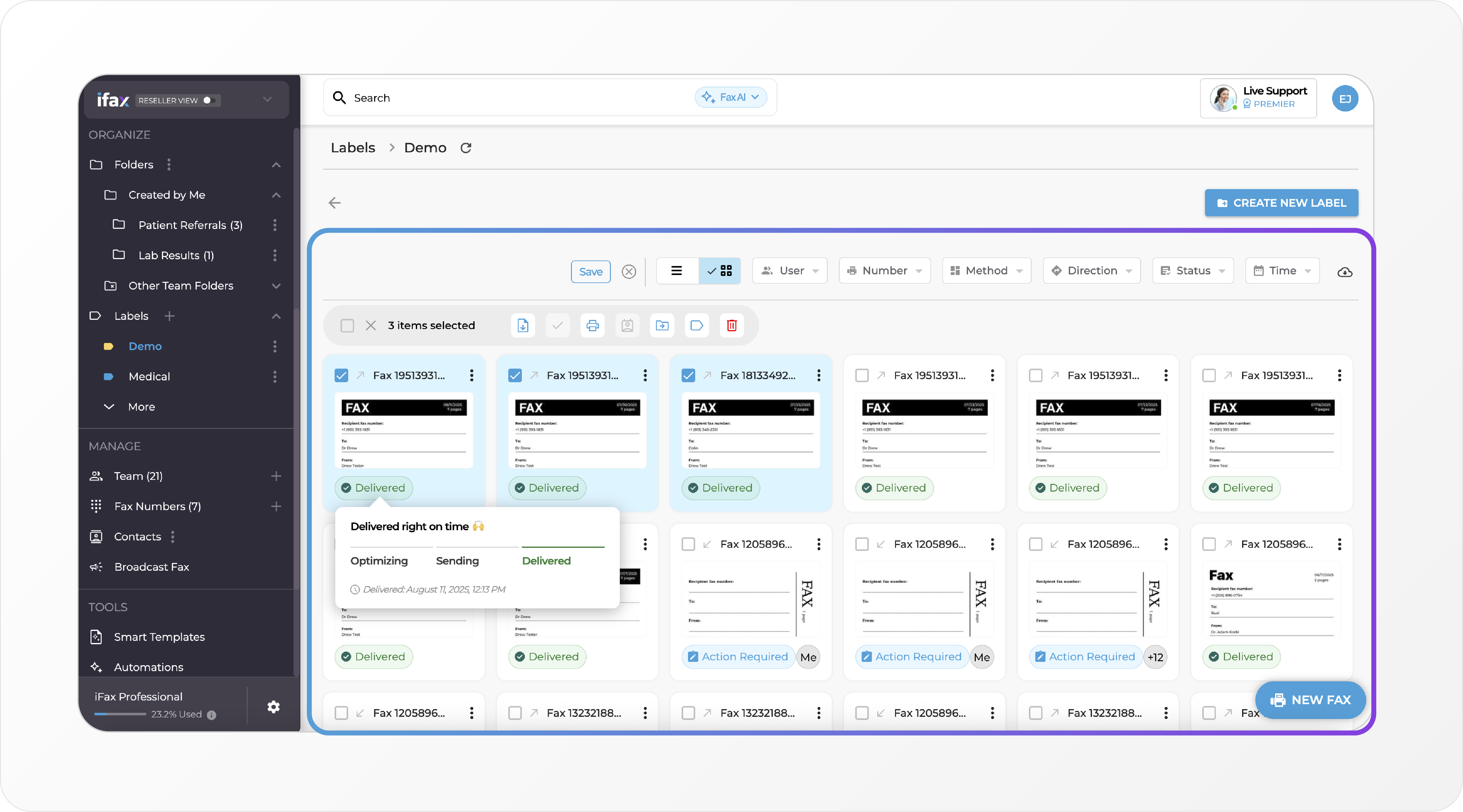 (Kanban lovers, stay tuned for our next release 👀)
Clearer Reporting 📊
- Day/week labels now include the year
- Zero-usage rows are displayed for full visibility
Auto-Block Opt-Outs 🚫
Broadcast recipients who opt out are now automatically added to your blocked list — so you never send to them again.API Access to Contact Management 🔌
Developers can now manage contacts programmatically:- List, create, update, and delete contacts via API
ImprovementNew
Faster Filters, Tighter Lists, and a Whole Lot Less Clicking 🎯
This release is all about saving time and adding flexibility — whether you’re automating with Smart Templates, sending at scale, or managing clients as a reseller.Smart Templates + New Fax Defaults 🧠
You can now link Smart Templates with your New Fax Defaults. When users create a new fax, the selected Smart Template will automatically populate with relevant data and apply automation rules.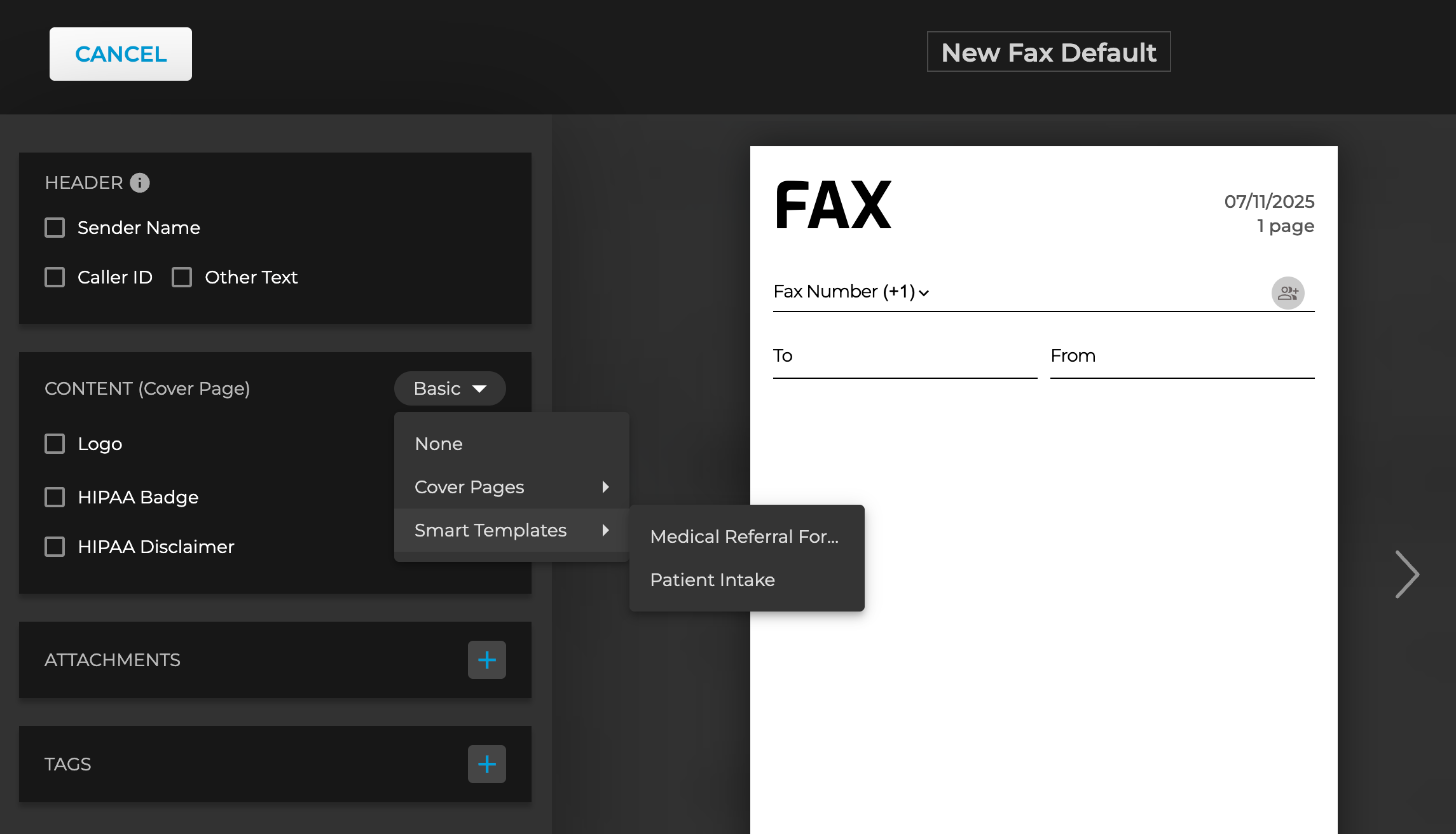 Coming soon: Smart Templates, Cover Pages, and Fax Defaults will be unified into one powerful feature.
Improved Attachment Menu 📎
We’ve updated the New Fax attachment menu to make it easier to include Smart Templates when sending a fax.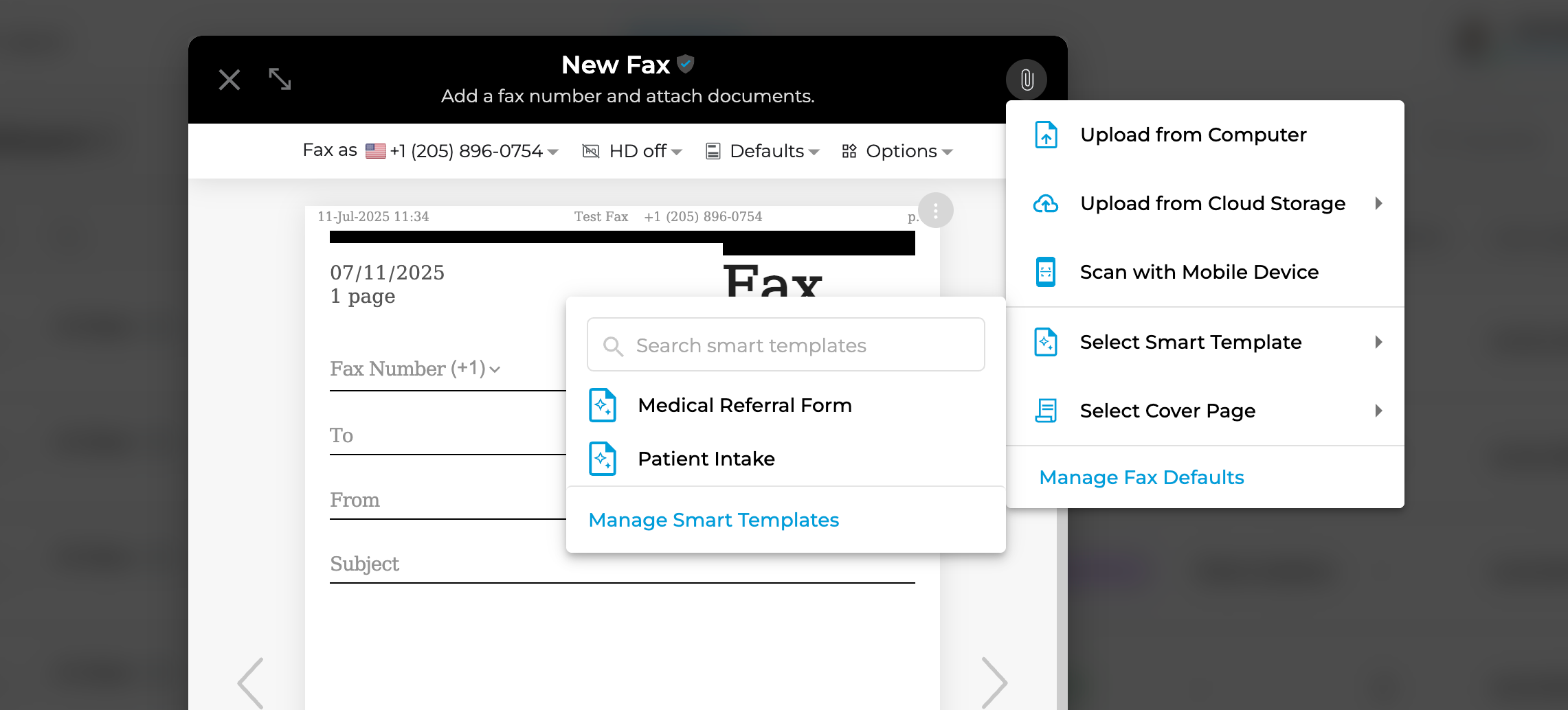
Broadcast List Filters + New List Creation Tools 🧰
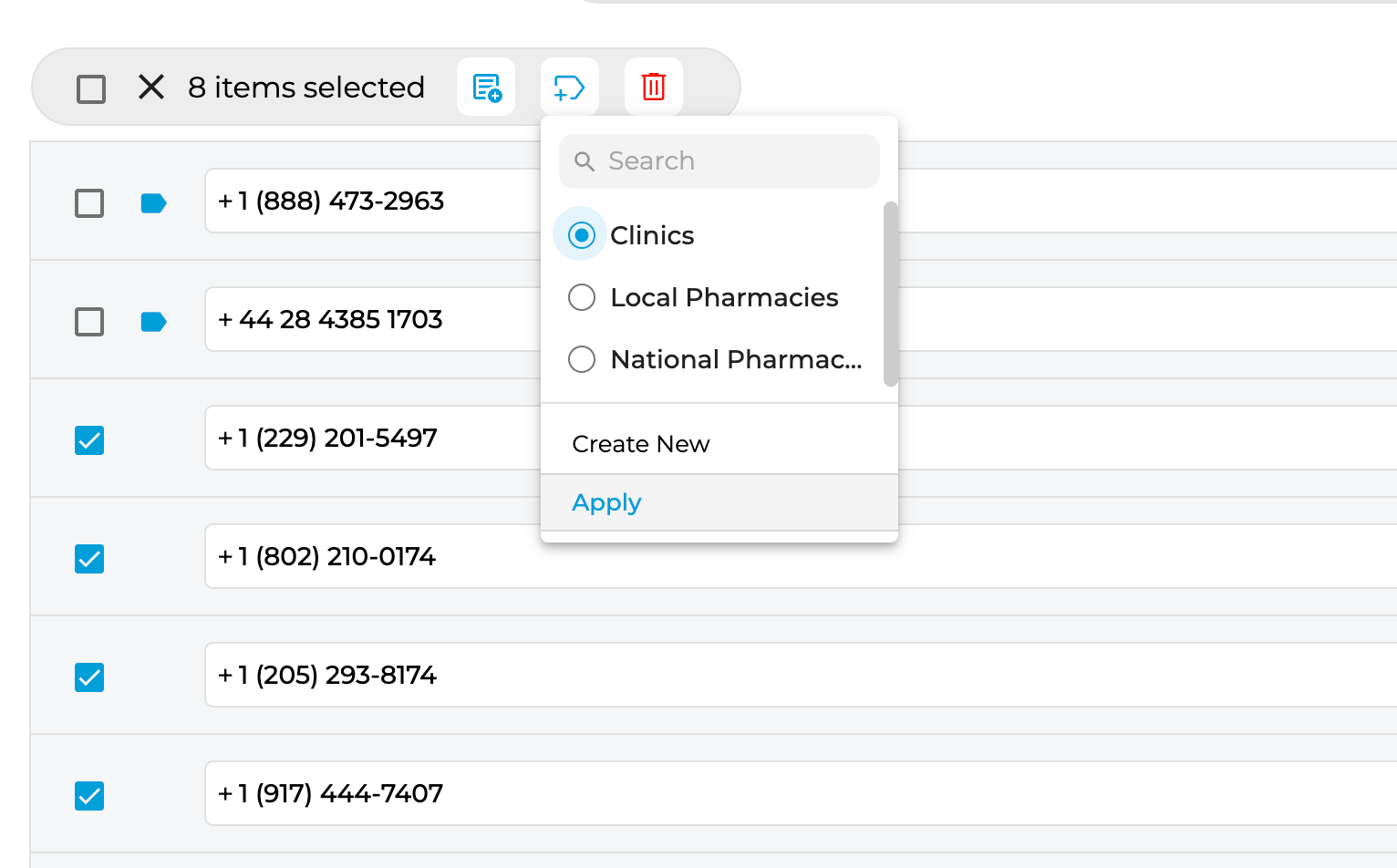
New tools make list management easier than ever:- Add labels to individual numbers in a Broadcast List
- Filter by label or criteria to remove or segment numbers
- Quickly generate new Broadcast Lists based on filters
Automation Upgrade: Smart Templates + NLP 🤖
You can now create automations that:- Extract data from inbound faxes using NLP
- Auto-fill a Smart Template with that data
- Generate and send a new outbound fax automatically
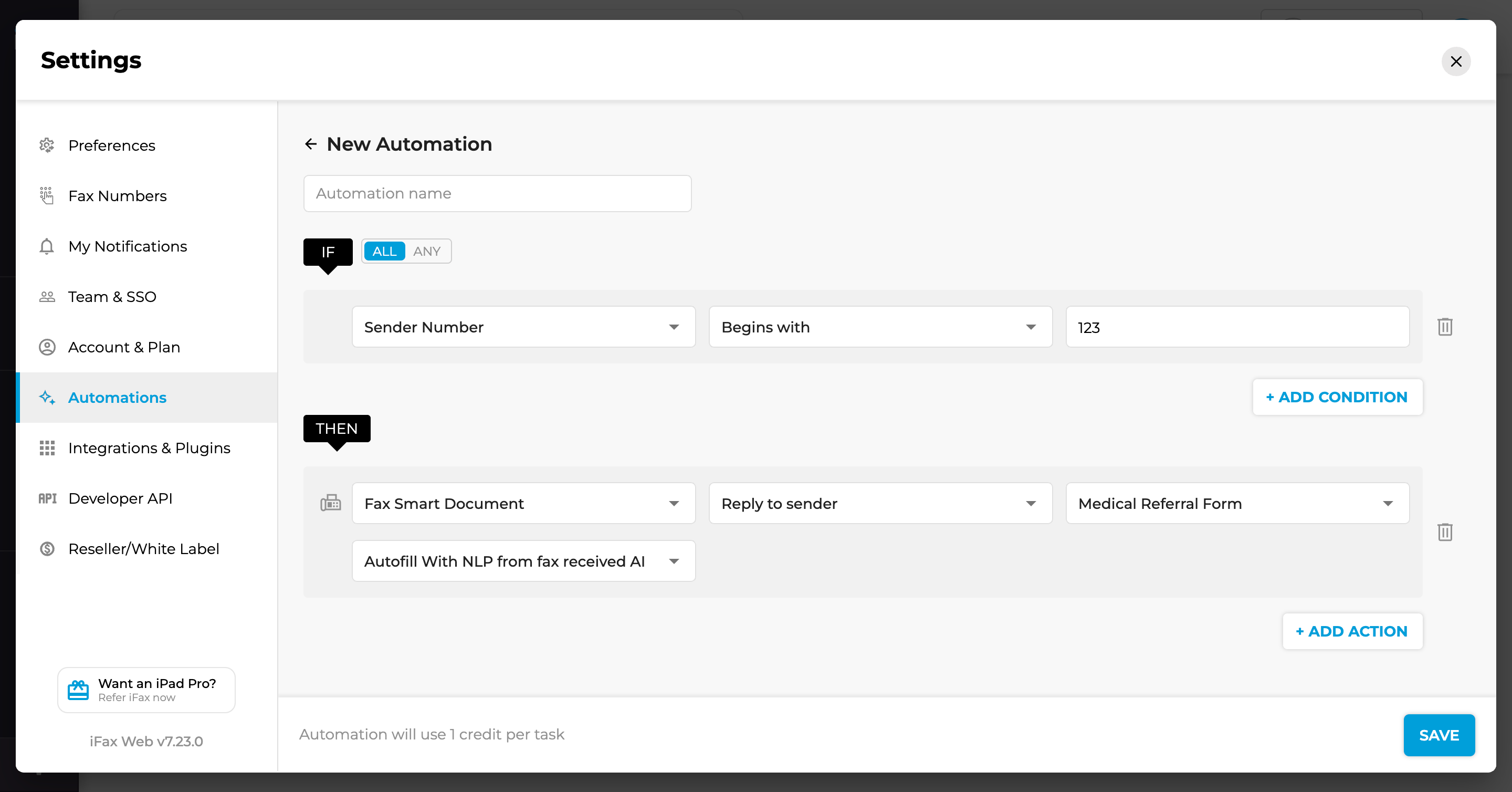 📌 Example: Receive a patient record from a hospital → auto-extract key fields → populate a Smart Template → send it to an insurance provider.
Client Alerts for Resellers 🔔
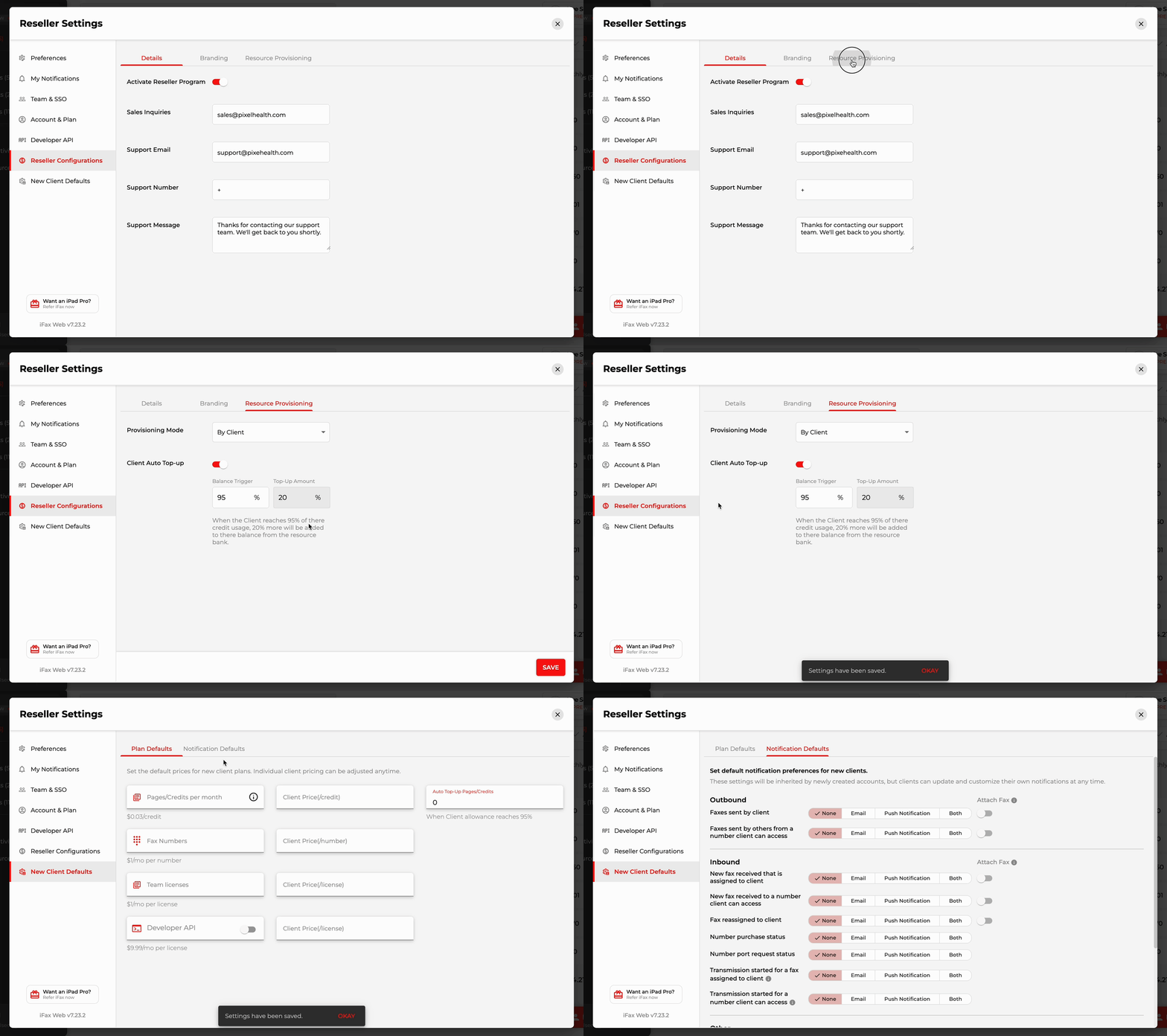
Get real-time email alerts when your Clients hit important milestones or changes — giving you more visibility and control.Reseller Configurations + Client Defaults ⚙️
- Simplified UI for managing Client settings
- New ability to define default notification preferences for your Clients
ImprovementNew
New Integrations, Same Secure Faxing: What’s Now Available in iFax
We’ve refreshed our Integrations & Plugins page with a few new additions, and it’s the perfect time to walk through everything you can now connect. Whether you’re managing documents, syncing users, or faxing from EHRs, iFax fits into the tools your team already uses.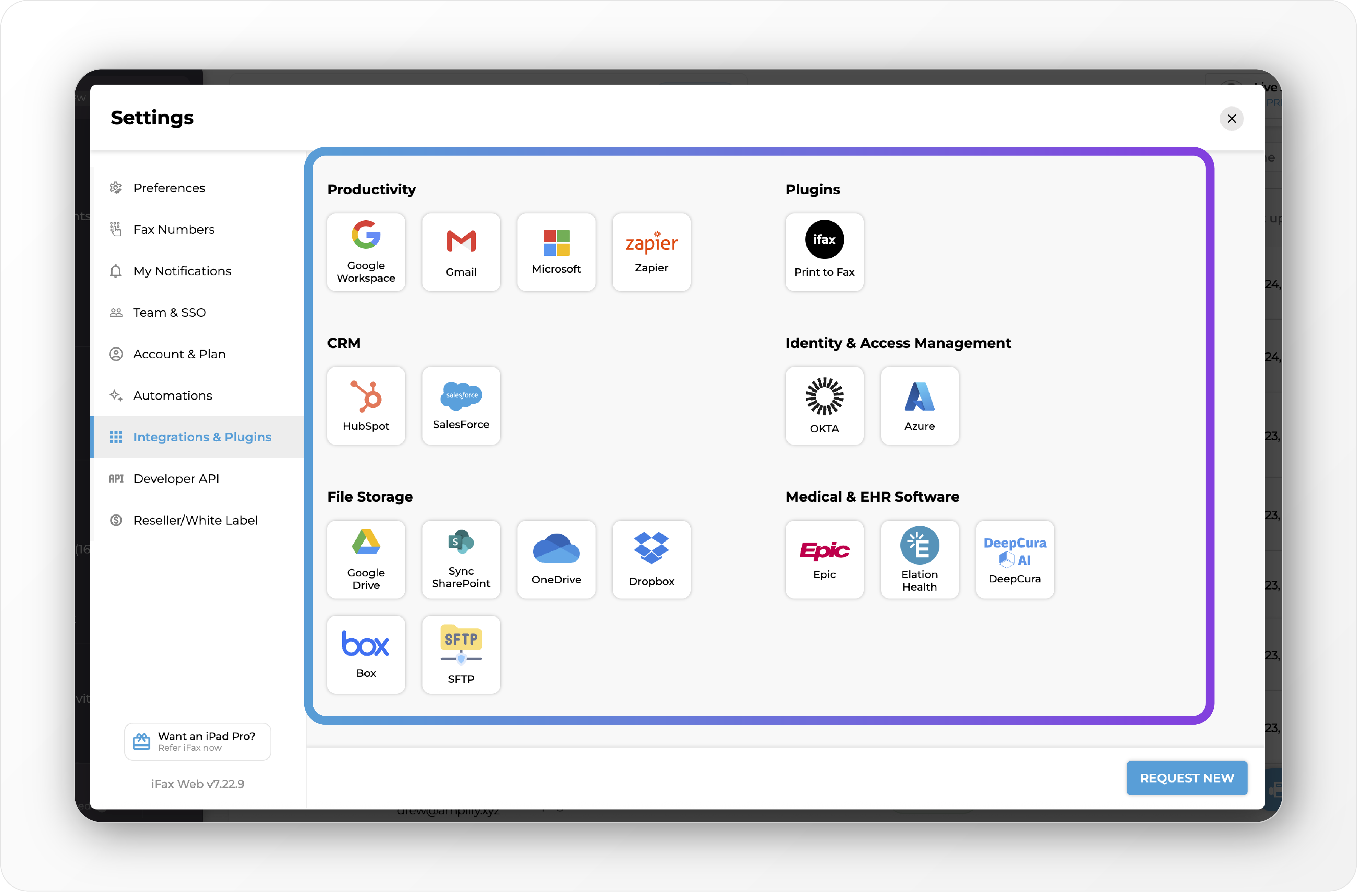
Identity & Access Management 🛡
Secure and simplify access with Okta and Azure Active Directory. Enable Single Sign-On (SSO) via SAML and manage users automatically with SCIM provisioning.Cloud Storage 🗂
Sync iFax folders and fax PDFs to: Google Drive, OneDrive, Dropbox, SharePoint, or Box. Your folder structure and file names stay intact with automatic one-way sync from iFax.SFTP 🔐
Send faxes directly to your own SFTP server for secure backups or internal workflows. Ideal for organizations with strict data controls or legacy systems.Medical & EHR Software 🩺
Streamline document workflows by connecting iFax to your EHR. Supported systems: Epic, Elation Health, and DeepCura.Productivity Tools 💼
Connect iFax with: Google Workspace, Microsoft 365, Gmail, and Zapier. Use Zapier to build automations across thousands of apps.Plugins 🖨
Use our Print to Fax plugin to fax from any software — including any EHR. If you can print from it, you can fax from it. Just install the plugin, click Print from your desktop app, and select the iFax printer from the dropdown. A pop-up will let you enter the fax details and send, no need to upload or convert files manually. Need Something Else? We’re always adding new integrations based on customer needs. If there’s a tool you use that we don’t support yet, you can request it right from the Integrations page. We’ll take a look. 🫶ImprovementNew
Smarter Templates, Sharper Routing, and Sync That Stays in Step 🔄
This release is all about making your workflows faster, cleaner, and more connected—from reusable smart templates to automated EHR routing and seamless CRM sync. Less clicking, more doing.Smart Templates for Healthcare Forms 🧠
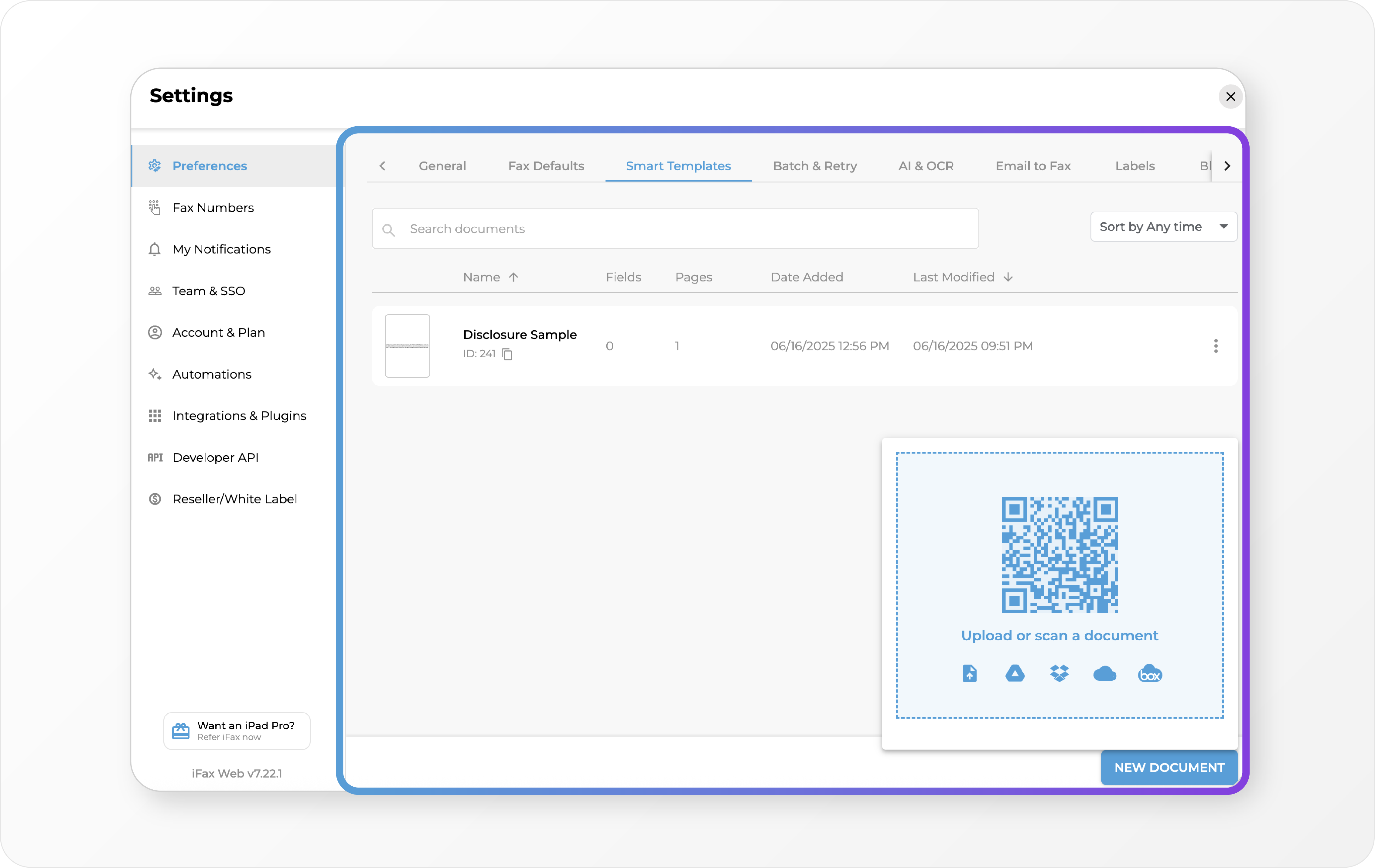 Say goodbye to repetitive uploads and inconsistent data. Our new Smart Templates help you move faster with confidence: • Reuse common forms like intake, referrals, and prior auth • Pre-fill fields like name, DOB, and MRN • Set required fields to ensure accuracy • Compliant signatures with timestamps included Skip the drag-and-drop routine. Just pick a template, fill, and send.
Auto-Generated Email Addresses for Fax Numbers 📫
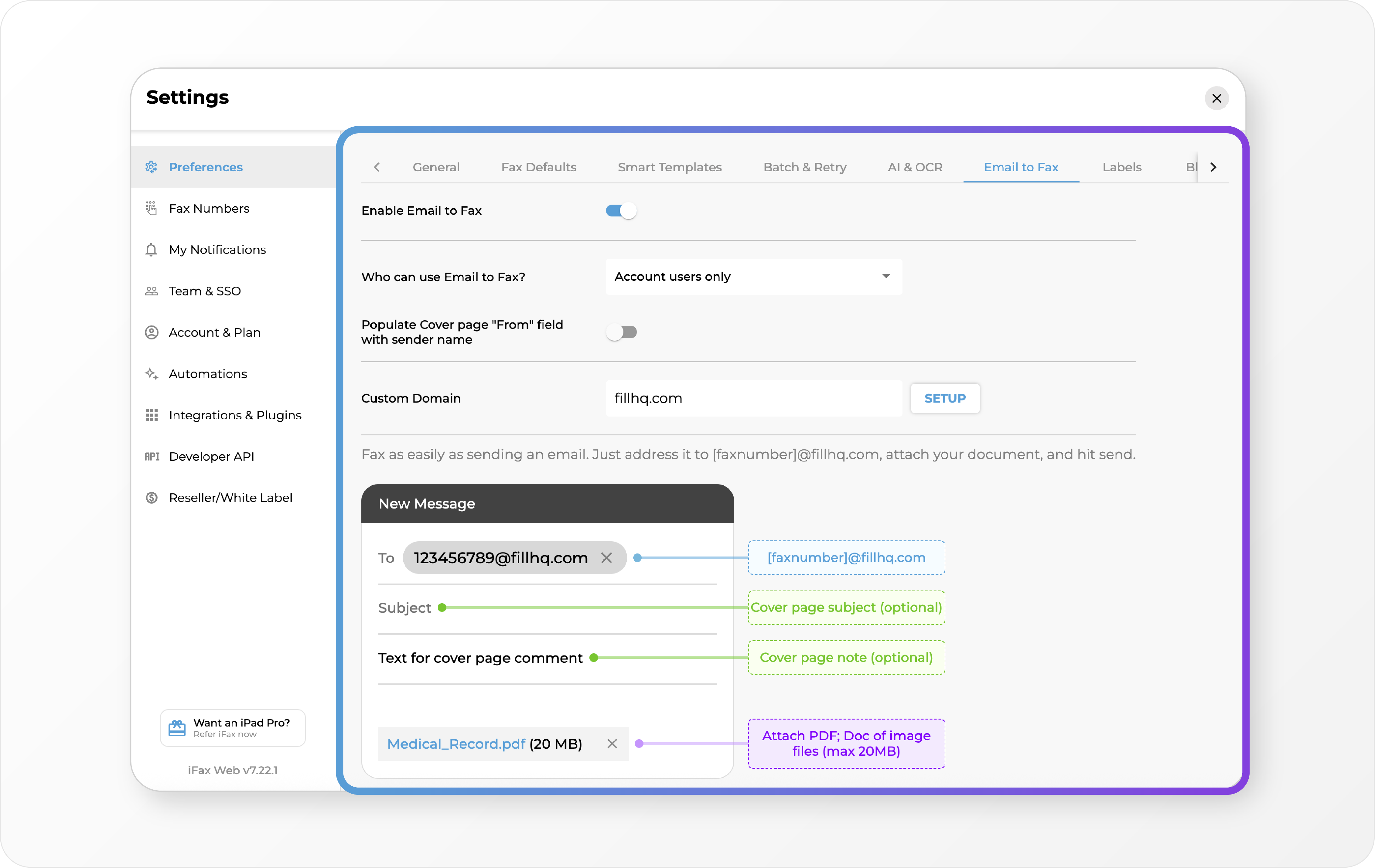 Our old “Receive by Email” just got a major upgrade. Now, every fax number gets its own email: • Send to <faxnumber>@ifaxapp.com to fax any attachment •Have a custom domain set up? It’ll show as <faxnumber>@yourcompany.com • Attach PDF, DOCX, TIFF—whatever you’ve got It’s simple, scalable, and works exactly how your team already communicates.
Automation: Send to EHR 🏥
ImprovementNew
Seamless Sign-Ons, Smarter Send-Offs, and a Streamlined Campaign Flow ⚡
This release is all about clarity and control—from simplified OKTA setup for secure team access to easier ways to resend and launch broadcast fax campaigns. Fewer steps, better delivery, and more power at your fingertips.OKTA Integration (SSO + SCIM Support) 🧍
We’re excited to launch official support for OKTA to streamline identity and access management for enterprise teams. • Single Sign-On (SAML): Seamlessly log in using your organization’s OKTA credentials • User Provisioning (SCIM): Automatically manage users at scale You’ll now find OKTA under Integration Settings with a direct link to our SCIM setup guide for easy deployment.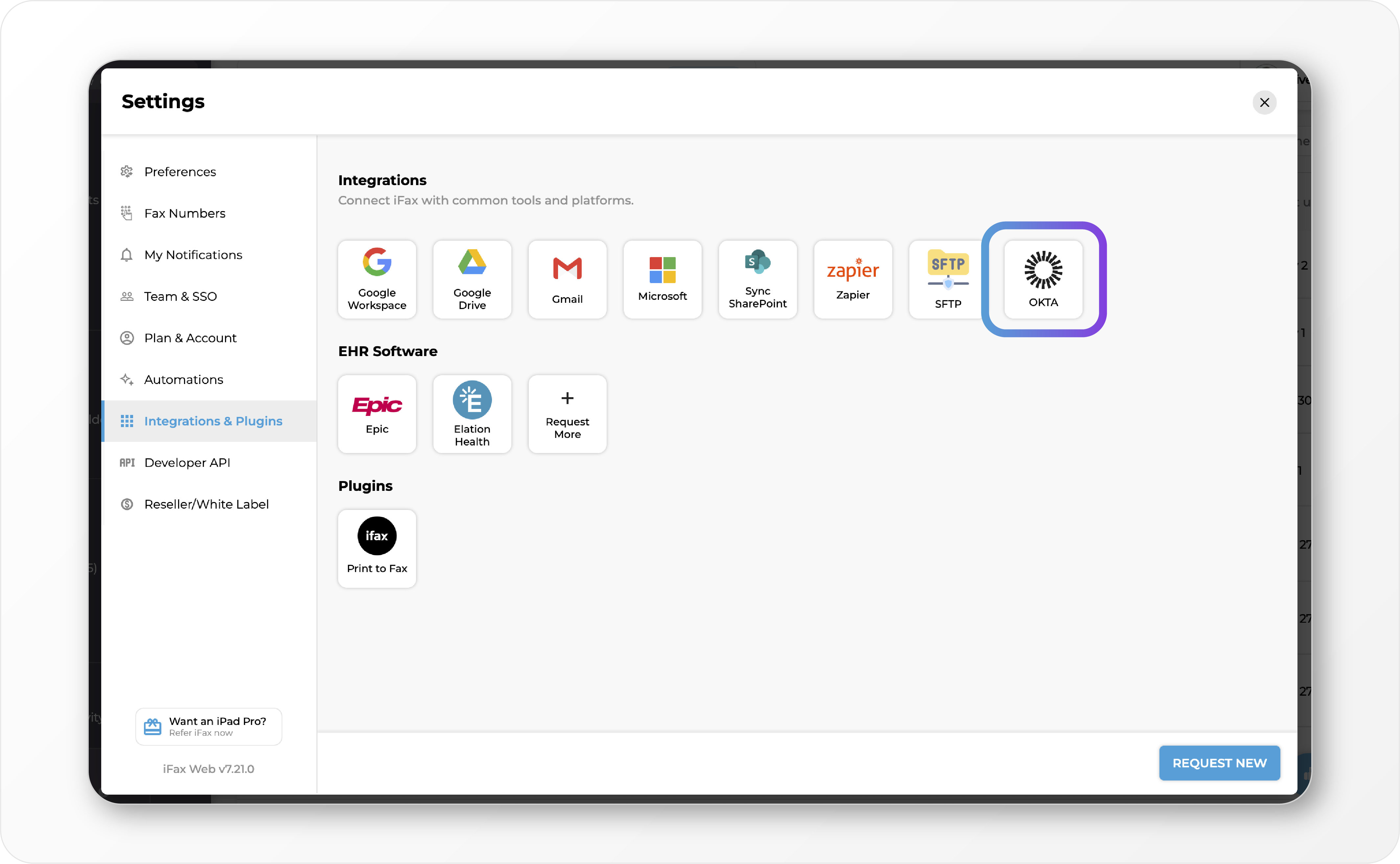
Restart Fax Campaigns 📢
Need to resend a broadcast fax? You now have three flexible options right from the Broadcast Fax interface: • **Resend All **– Re-attempt delivery to every recipient, regardless of status • Resend All Cancelled – Target only those marked as cancelled • Resend Failed Faxes – Use the Campaign Detail page to retry failed deliveries with precision This gives you greater control over retries—no need to start a new campaign just to fill in the gaps.Smoother Broadcast Campaign Flow 🤳
Launching a new campaign is easier than ever:- Select a Broadcast List
- Upload your document – now with a QR code option for fast upload from mobile devices
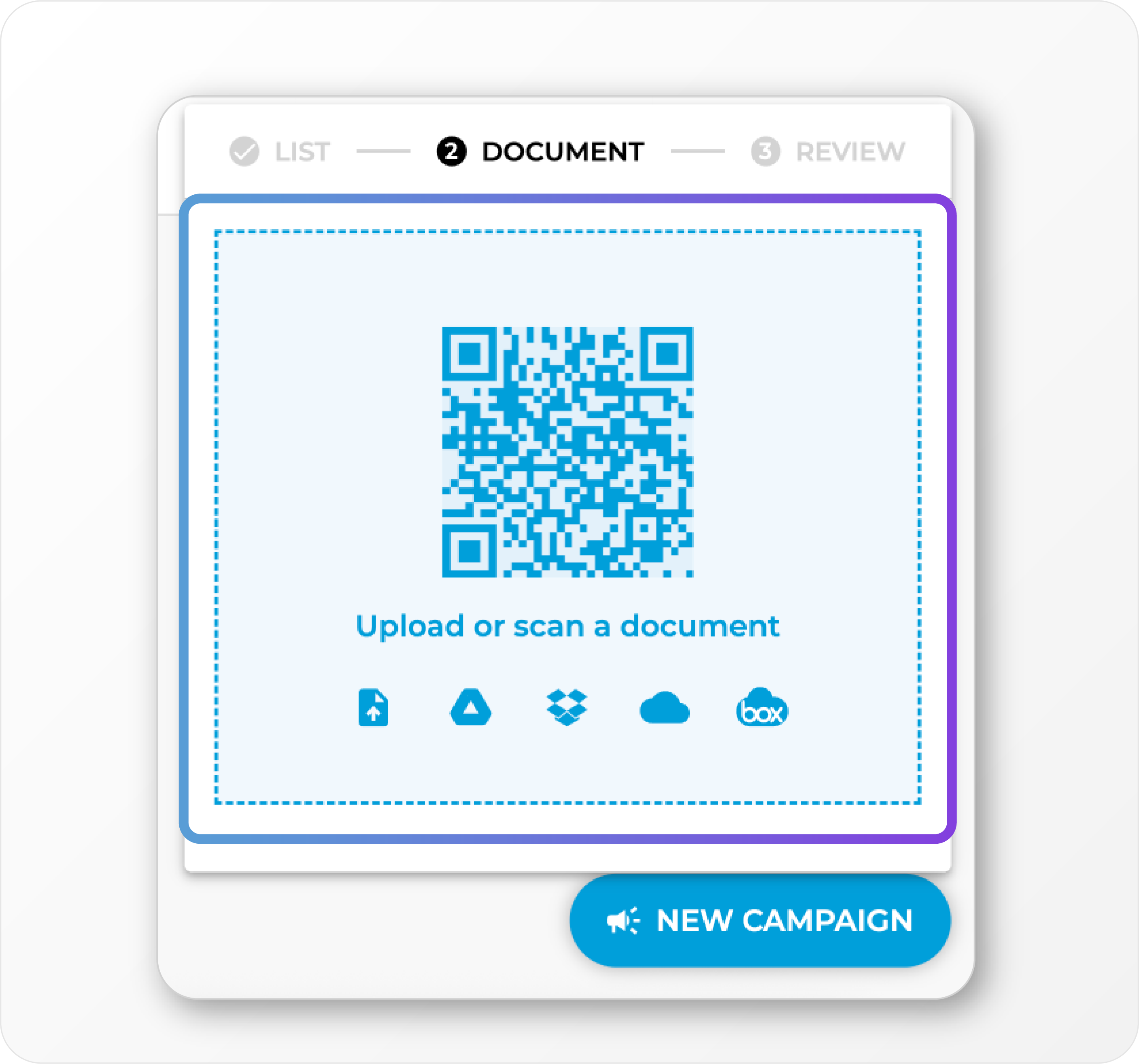 Whether you’re at your desk or on the go, high-volume faxing just got a whole lot faster.
ImprovementNew
Campaigns, API Control, and Effortless Automation: Fresh Features for a Faster Faxing Flow ✨
This release brings smoother workflows, smarter campaigns, and more control—whether you’re faxing, building with our API, or managing teams. Get ready to work faster with less hassle.Fax Broadcasts Reimagined: Introducing Campaigns 📣
Broadcasts are now Campaigns! Manage your fax blasts with more structure and control. Each campaign has its own dedicated page, so you can easily rename, track, and archive campaigns, as well as dive into delivery stats and performance insights—all in one spot.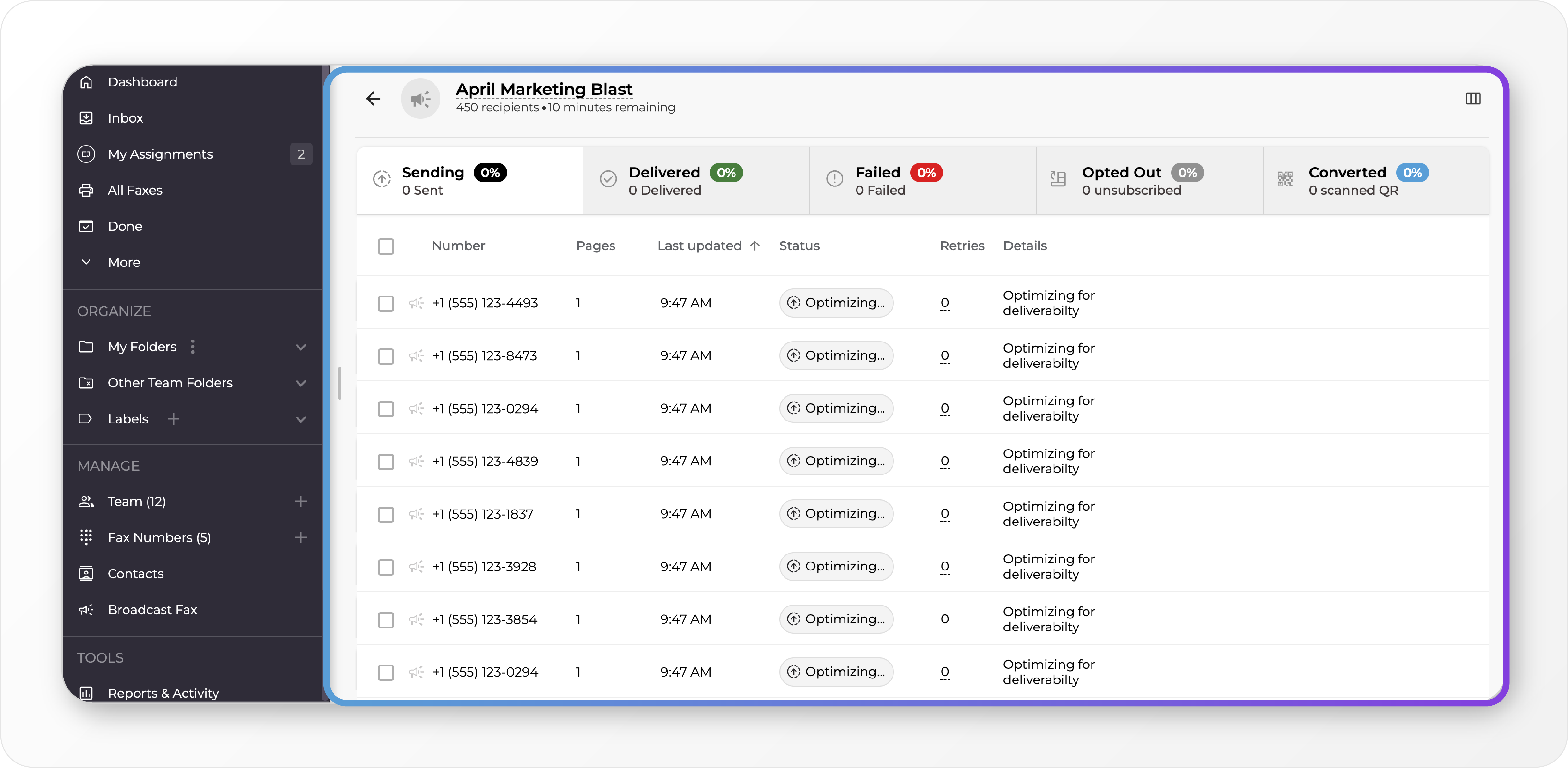
API Dashboard Upgrades: Key Management & Usage Reports 🔑
The Developer Dashboard just got a major upgrade: • Multiple API Keys: Easily generate, organize, and manage multiple keys for both sandbox and production environments. • **API Usage Reports & Logs: **Get granular with usage data and logs—filterable by API key. • Revamped UI/UX: Fresh new interface for smoother workflow and better control.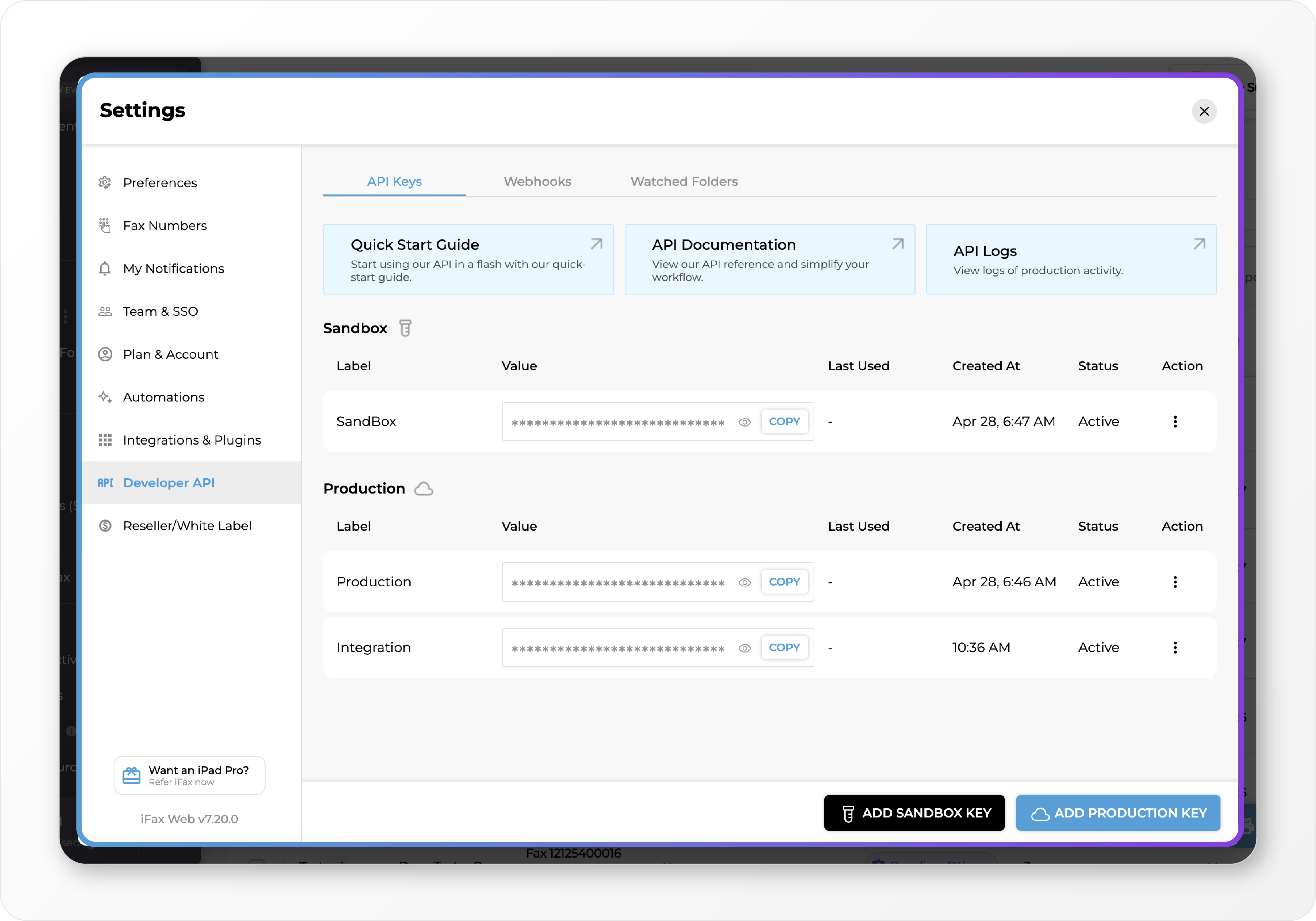
Team Folder Transparency & Access Requests 📂
Now you can see folders within your organization—even if they’re not shared with you yet. Want in? Just send a request directly to the folder owner from the new “Request Access” view. Folder owners get notified and can grant or deny with a click.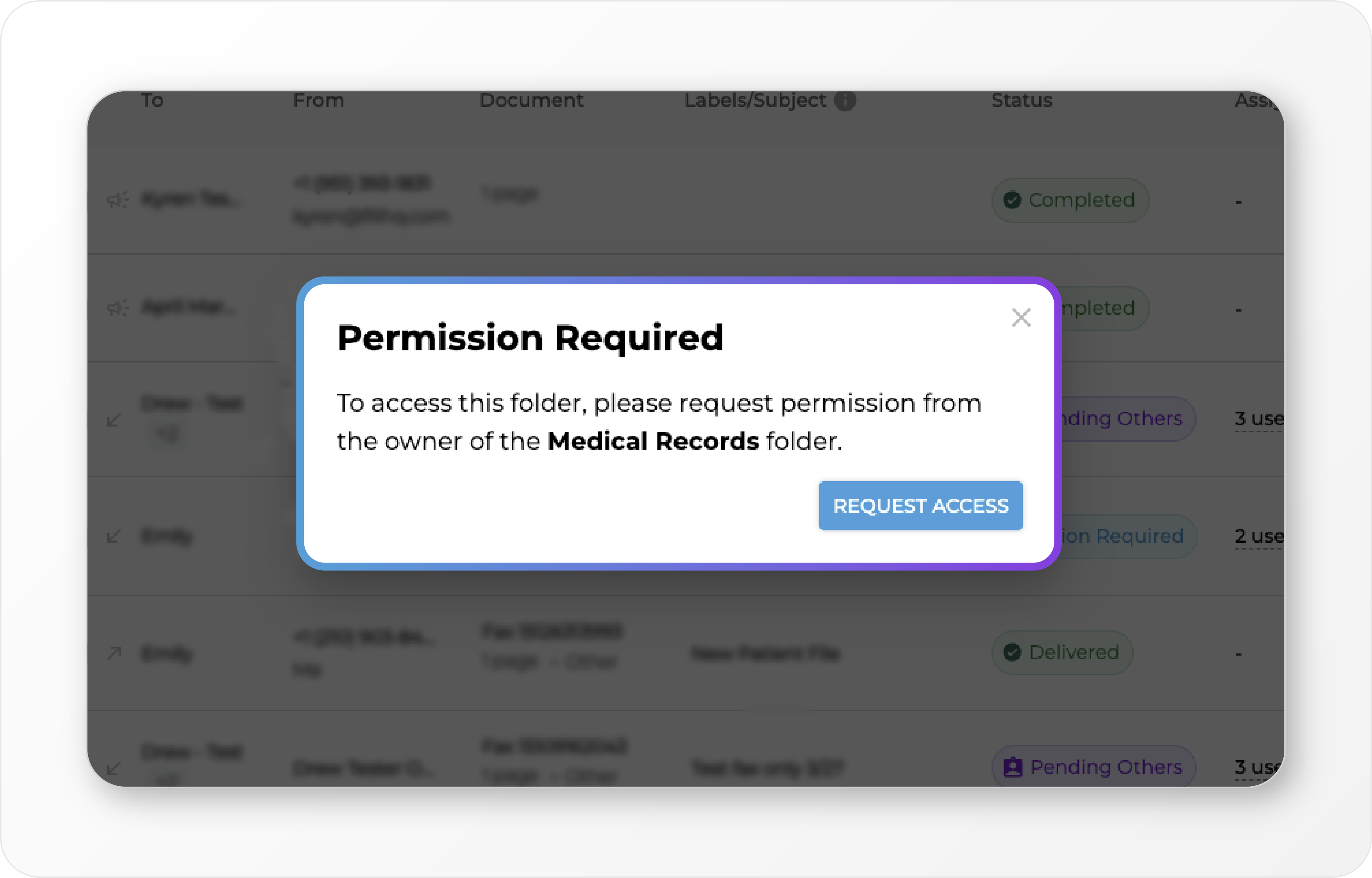
Real-Time Fax Sending Progress 💡
Stay in the know! • For standard faxes: See real-time page progress as your fax sends. • For Campaigns: Watch recipient delivery count update live.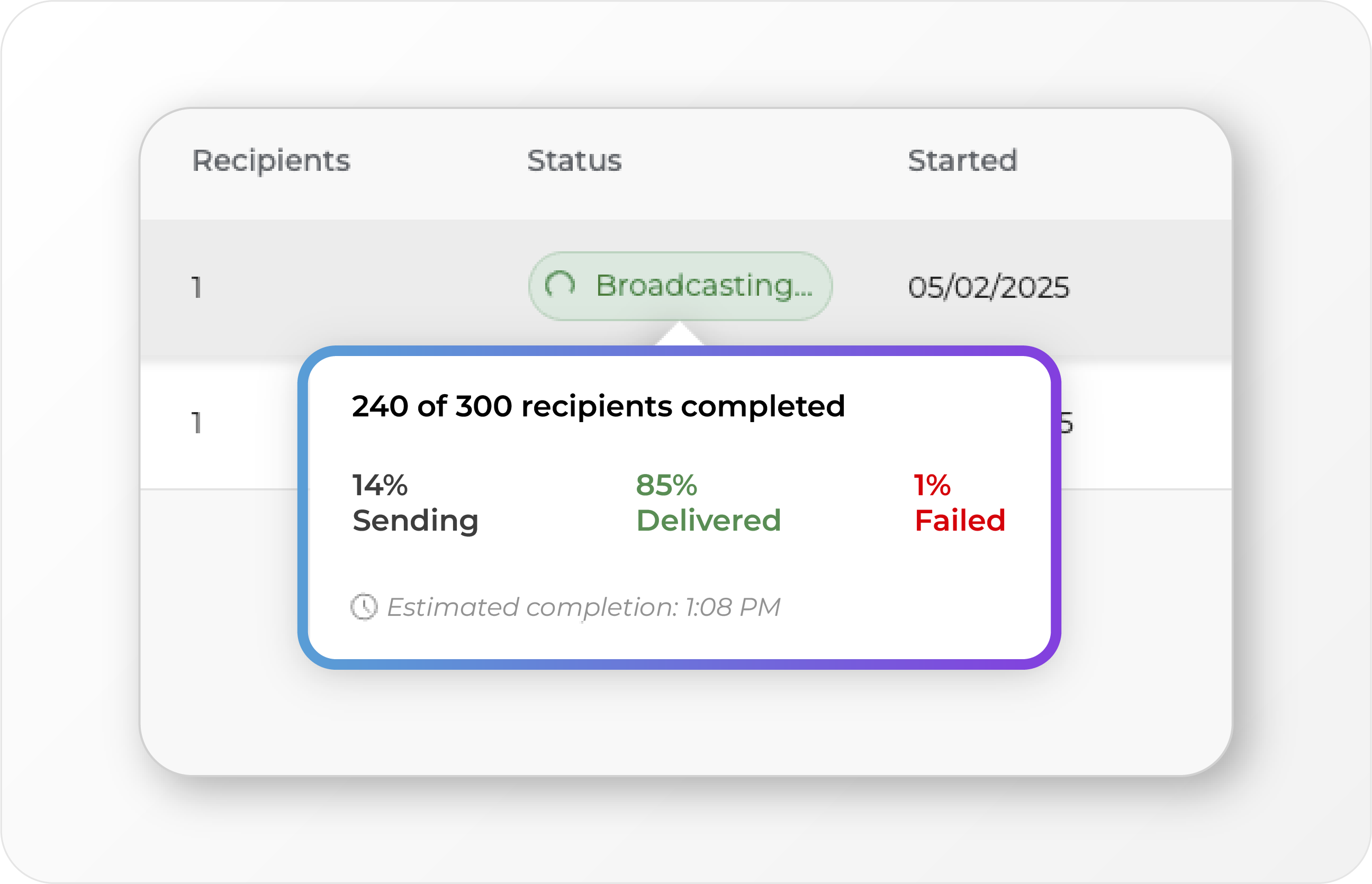
Seamless SFTP Fax Automation (No FCL Files Needed) 🤖
Say goodbye to manual FCL files. Now, just upload your PDF (named like [+12059313545]-invoice1.pdf) to your SFTP folder. The system reads the fax number and sends it automatically—no manual setup, no hassle. Usage Reports by Fax Number 📊 You asked, we delivered. Get detailed reporting by fax number, so it’s easier than ever to track usage across multiple lines. Bulk Import Clients via CSV ⬇ Onboard multiple clients at once! Resellers can now import clients in bulk with our new CSV upload feature, making client management faster and easier.ImprovementNew
Big Wins for Builders: API Sandbox, Searchable PDFs, and Automated Faxing 🚀
This is one of our most powerful updates yet. From a full API sandbox to hands-free folder-based faxing, we’re rolling out major upgrades for devs, IT teams, and power users. Whether you’re building on top of iFax or managing at scale, these updates are here to save time, reduce friction, and unlock next-level automation.API Sandbox for Developers 🧪
The wait is over. You can now safely test and integrate with the iFax API using a full-featured sandbox environment. Simulate real endpoints, use sample data, and validate your integration without touching production or racking up usage.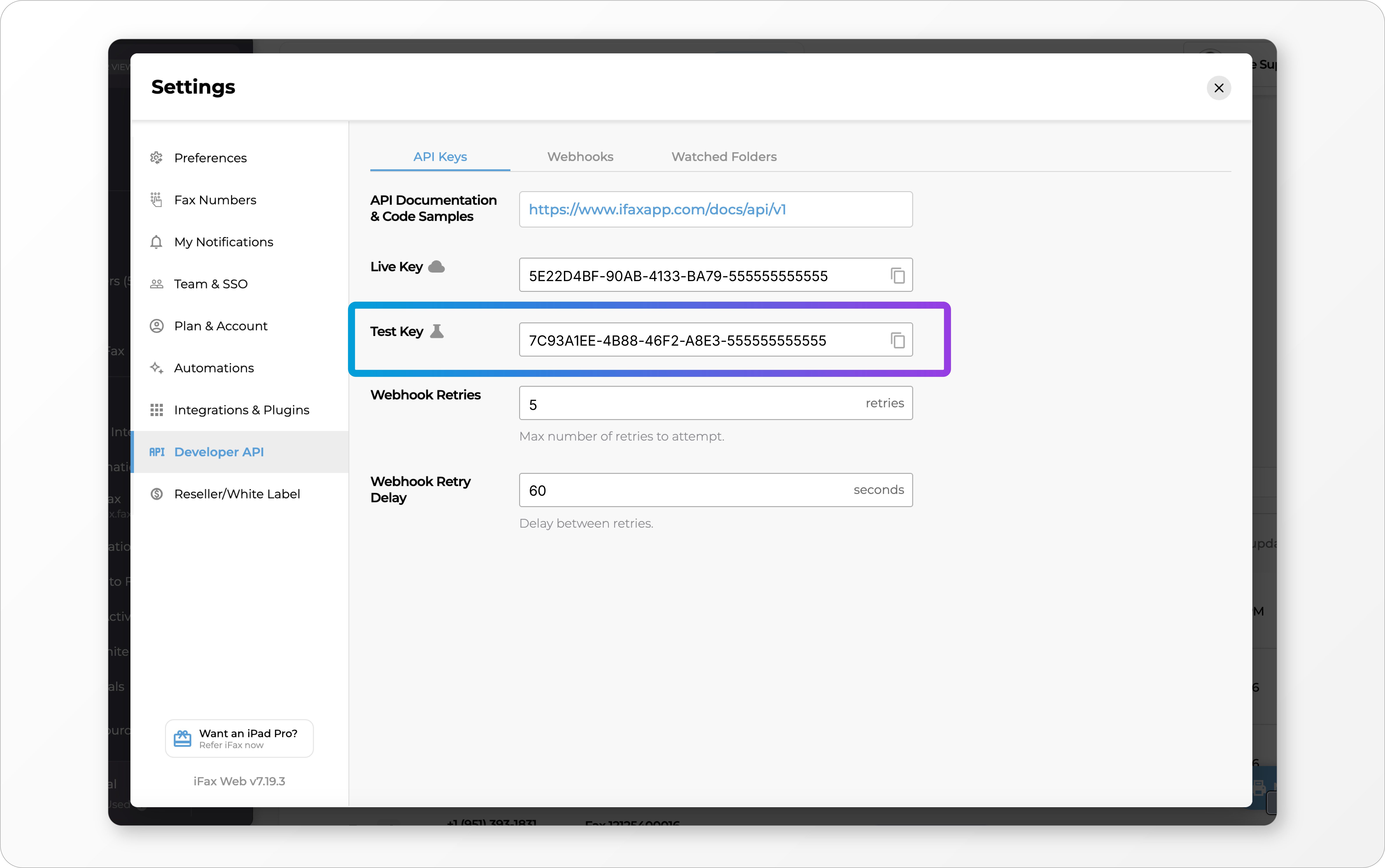
Bulk Editing User Permissions 🔒
Managing large teams just got easier. You can now move multiple users between permission groups in a single step. No more one-by-one updates. Get full control over user roles with a fraction of the clicks.Automatically Process Faxes from Watched Folders 👀
This is automation at its best. iFax can now monitor watched folders and send faxes based on file triggers.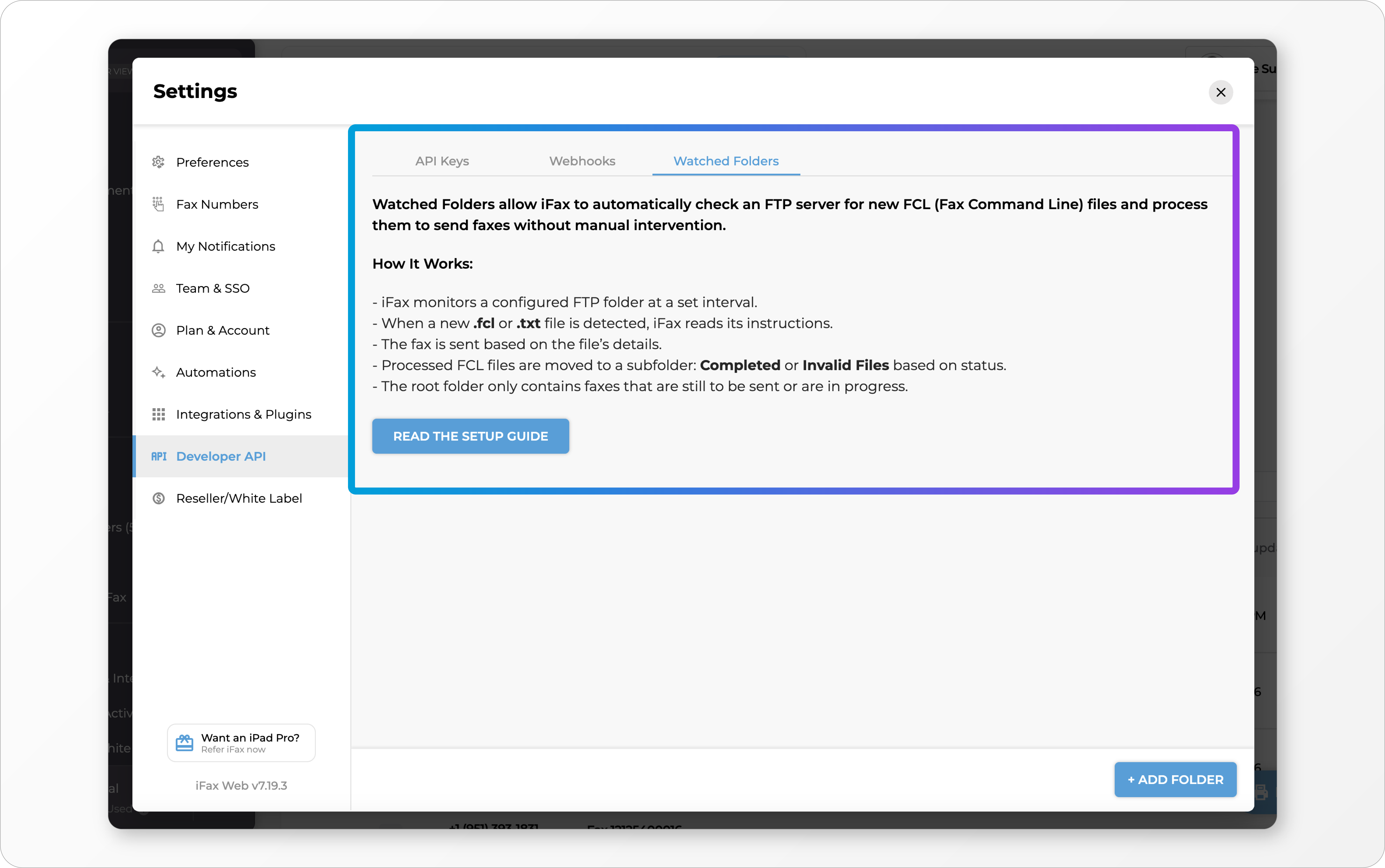 This is a game changer for high-volume and backend-driven workflows.
Save Dashboard Filters 😎
Speed up your day-to-day by saving dashboard filters for one-click access. No more resetting filters every time you log in.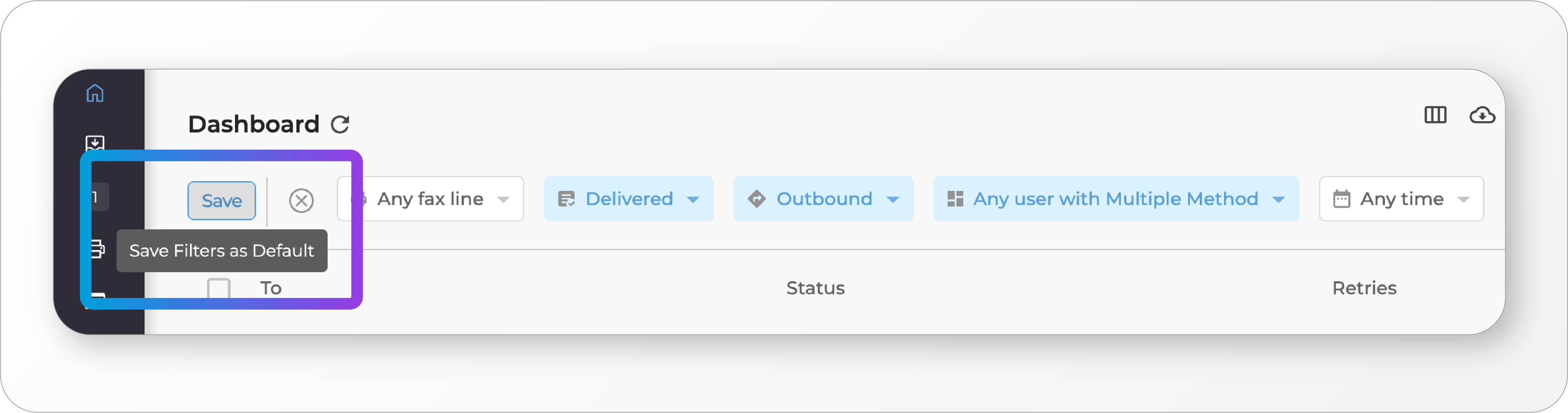 Customize your view and make it stick.
Attach ZIP Files to Faxes 🗃️
You asked, we delivered. You can now attach ZIP files when sending a fax. Great for bundling multiple documents in one go.Searchable PDFs with OCR 🔎
Fax documents just became more powerful. When OCR is enabled, downloaded faxes are now fully searchable PDFs.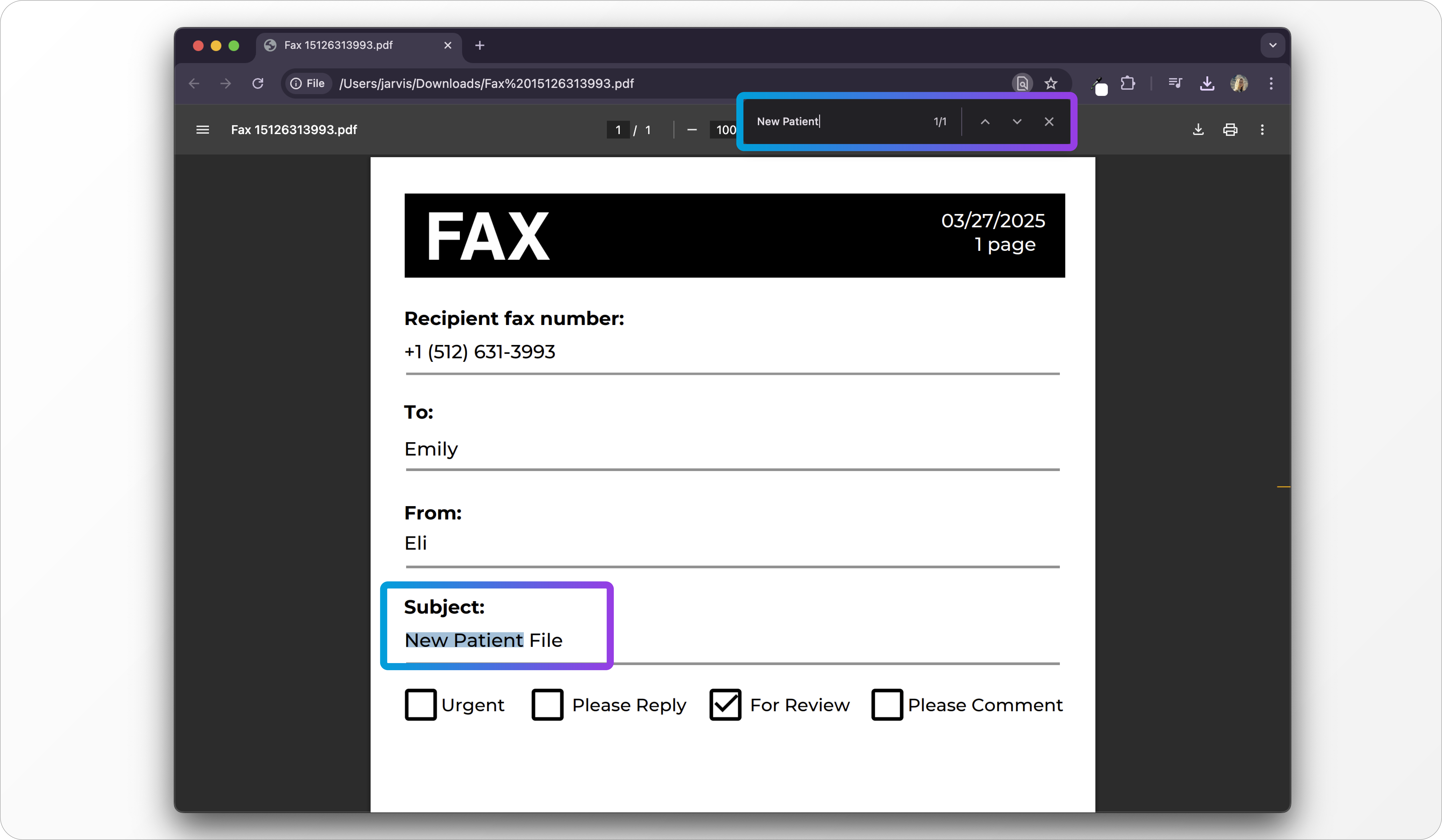 Instantly find what you need without digging through text manually.
ImprovementNew
Smarter Credits, Faster Workflows: iFax Just Got an Upgrade ⚡
Managing your faxes just got smarter and more efficient. With expanded credit functionality and powerful new automation triggers, iFax is making it easier than ever to streamline your workflow—no extra subscriptions or manual work required. Check out what’s new!Expanded iFax Credit System 🤑
The iFax credit system now applies to more than just faxing. You can use credits for: • AI Chat for document-related questions • OCR and Data Extraction (NLP) for structured data retrieval • Automations, which no longer require a separate paid subscription Credits are now deducted from your iFax credit balance based on the specific service used. Whether you’re sending a fax, extracting data with OCR, or running an automation, your credits adjust dynamically to match your activity—giving you more flexibility without the need for separate subscriptions.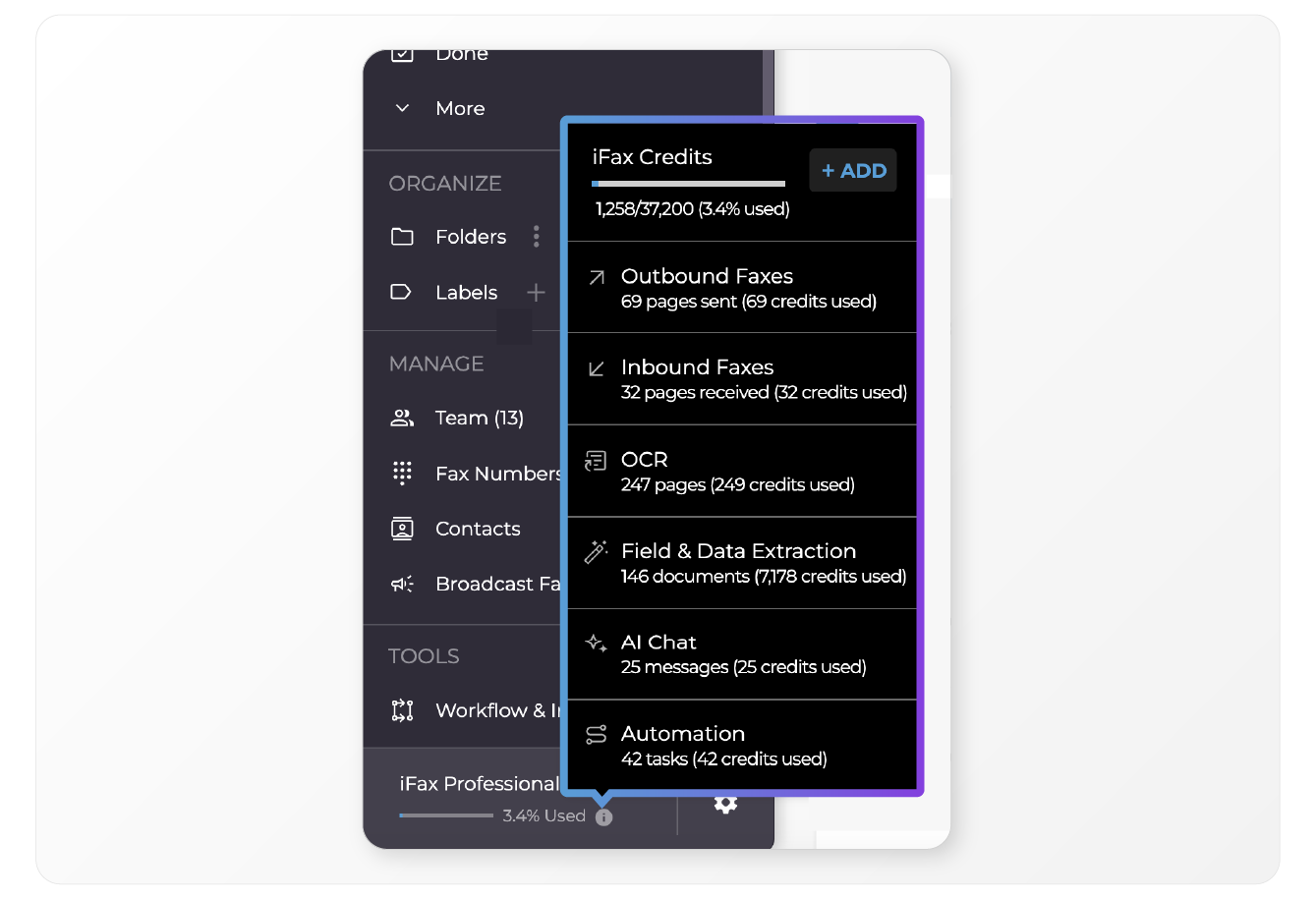 Additionally, the Usage Quick View now provides a breakdown of credit usage per service when hovering over the Plan bar. To help track usage, we’ve updated reports to include credit consumption.
New Automation Trigger: “New Fax Received” 🤖
You can now automate workflows based on when a new fax arrives. This trigger allows you to: • Automatically label new faxes for easier identification • Move incoming faxes to a designated folder for better organization • Send an email notification to alert team members of a new fax • Assign the fax to a specific team member for immediate action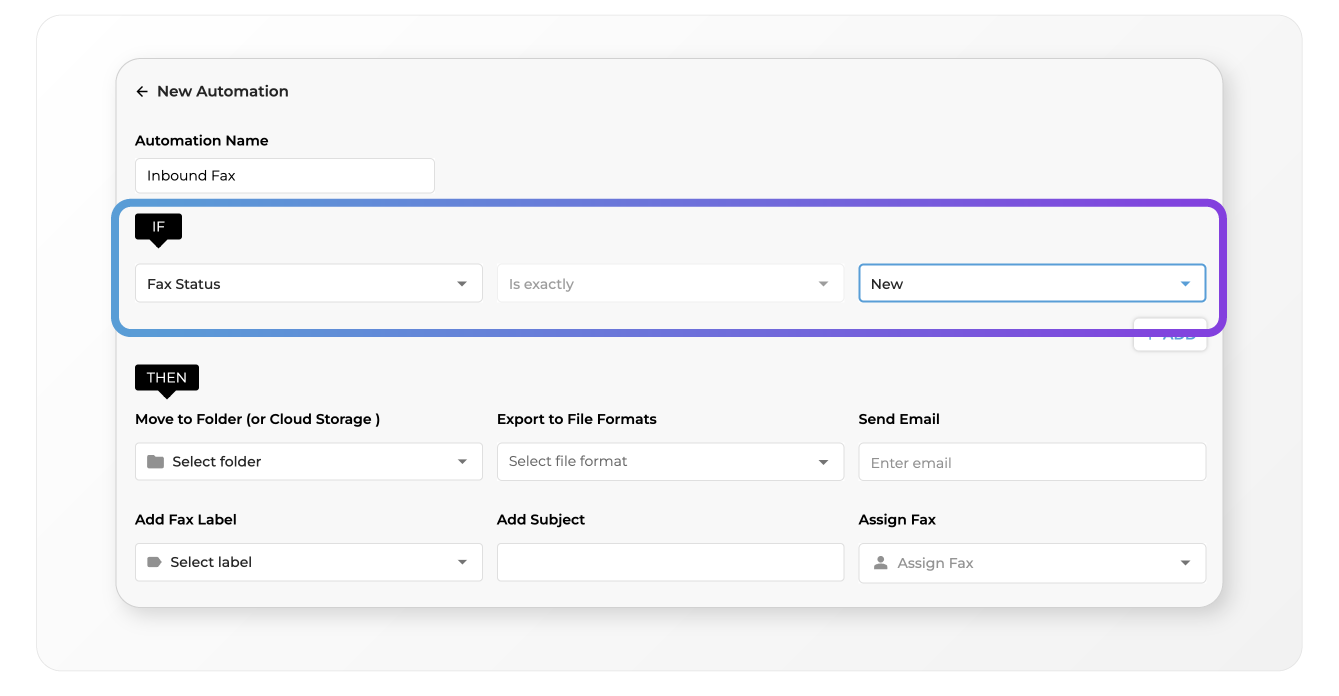 These are just a few ways you can use the new trigger—there’s plenty more you can automate to fit your workflow. Whether it’s organizing, notifying, or assigning tasks, you now have more control over how new faxes are handled, no manual work required.
More Free Faxing for Users 🎉
Users now get 25 pages per month (up from 10) to trial Broadcast and API features without a paid plan! Enjoy more trialling at no cost.Export Fax History 📂
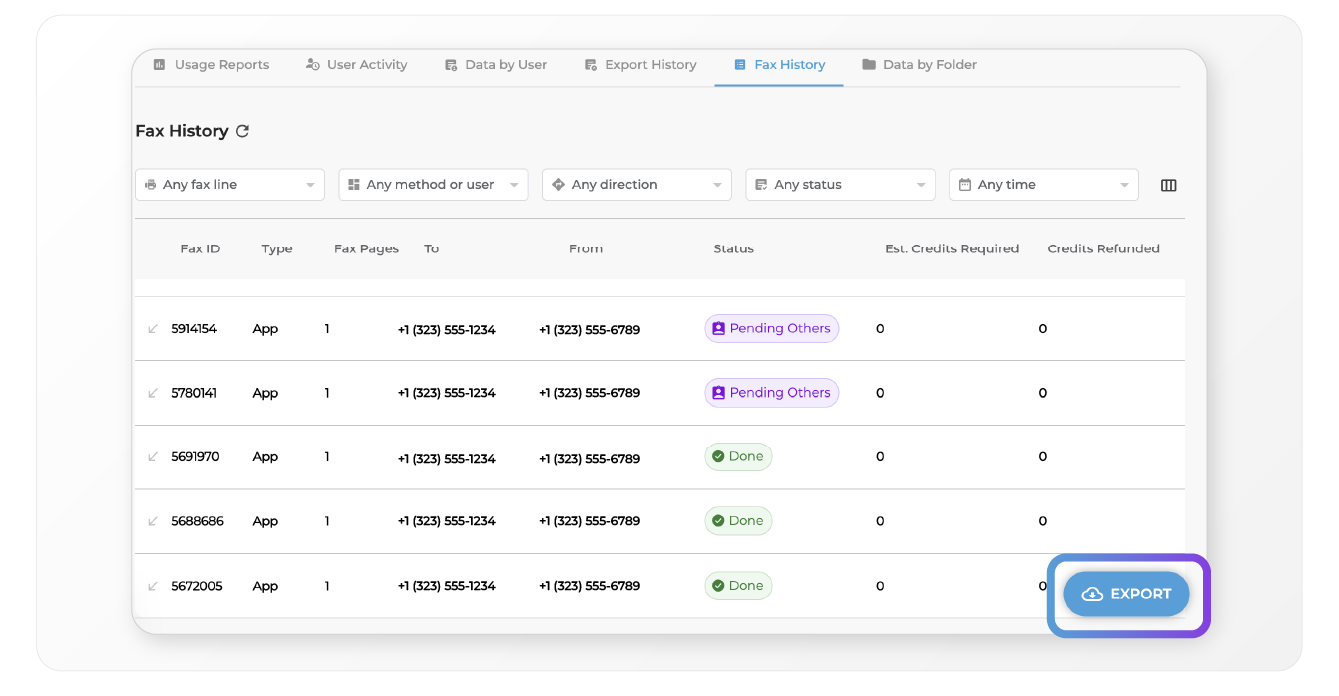
Users can now export their fax history as a .CSV file for record-keeping and reporting.